
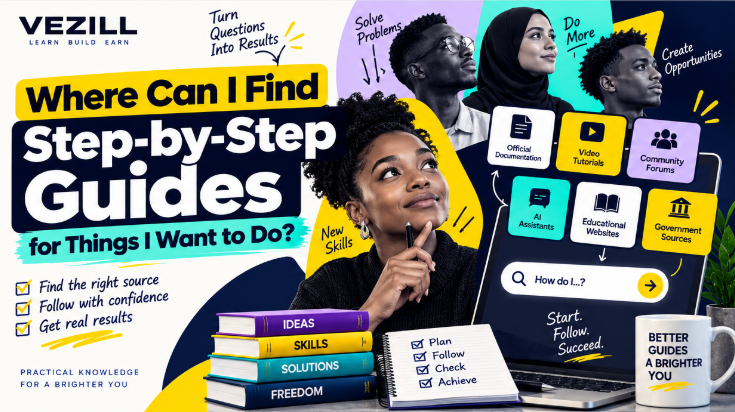
A useful guide should do more than list instructions. It should match your task, tool, version and starting point, tell you what to expect after important actions, and help you recover when your screen or result does not match the tutorial.
You search: “How to connect a custom domain to my website.”
You find a tutorial that says:
Technically, those are steps. Practically, they may not guide you at all. Where are the DNS settings? Which record? What value goes in each field? Should the old record be removed? Could changing nameservers affect email? How do you know when the change is complete?
Instructions are not automatically a guide.
You can find step-by-step guides through official documentation, help centers, written tutorials, YouTube videos, educational websites, community forums and AI assistants. The best source depends on the task. For software and official processes, start with official documentation; for visual tasks, video may be easier; for unusual troubleshooting, community discussions can reveal useful edge cases; and AI can help explain or adapt instructions to your situation. A good guide should match your version and context, state prerequisites, explain each important action, show how to verify the result and warn you before consequential mistakes.
FIND → MATCH → CHECK → FOLLOW → VERIFY
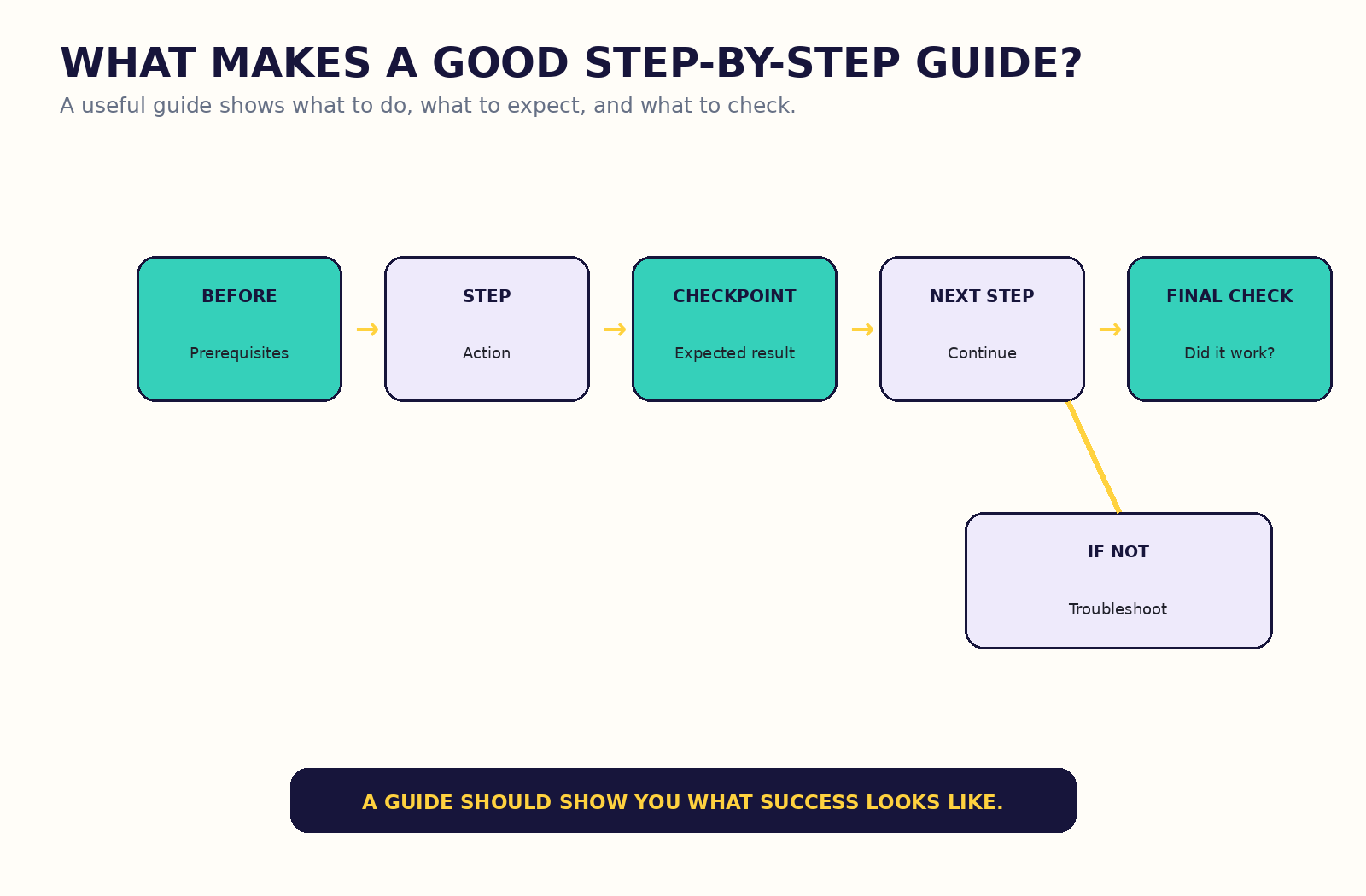 A useful guide shows what to do and what success should look like after important steps.
Before following any tutorial, ask whether it matches five things:
Does it solve the exact thing you want to do?
Does it use the same software, device, platform or provider?
Does the interface or version match yours?
Are the starting conditions similar to your own?
Does the guide produce the result you actually need?
TASK + TOOL + VERSION + CONTEXT + OUTCOME = GUIDE MATCH
Same goal + different starting state can require different instructions.
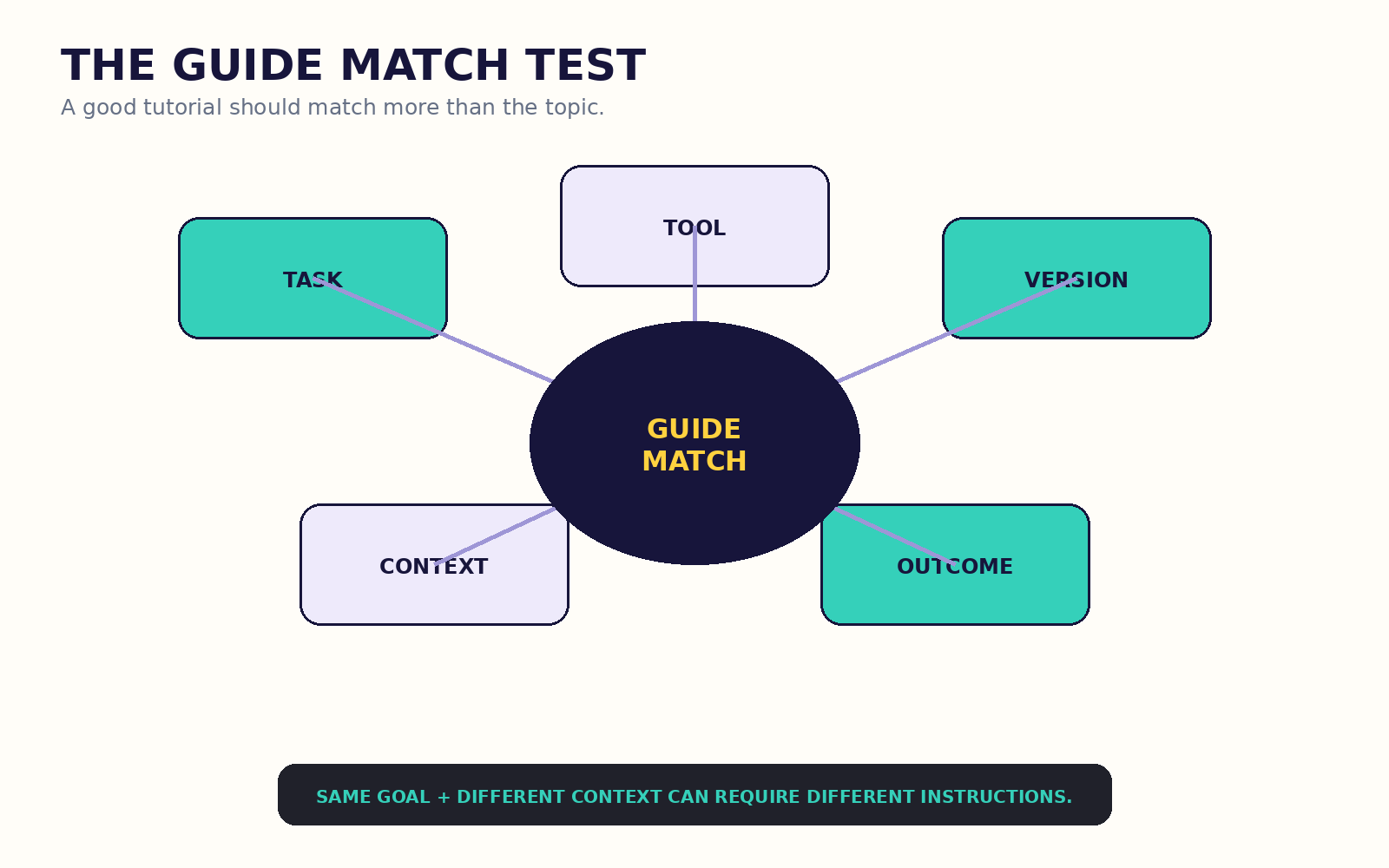 A tutorial can be excellent and still be wrong for your setup.
There is no single best place. Start with the source closest to the task.
| Task | Good Starting Source | Why |
|---|---|---|
| Change phone setting | Manufacturer / OS help | Current official steps |
| Install software | Official documentation | Correct requirements |
| Edit video | Video tutorial | Visual workflow |
| Fix unusual software error | Docs + community | Official behavior + edge cases |
| Register a business | Government source | Official procedure |
| Learn spreadsheet task | Docs + tutorial | Accuracy + demonstration |
| Use programming library | Official docs | Version-specific behavior |
| Understand unfamiliar steps | AI assistant | Interactive explanation |
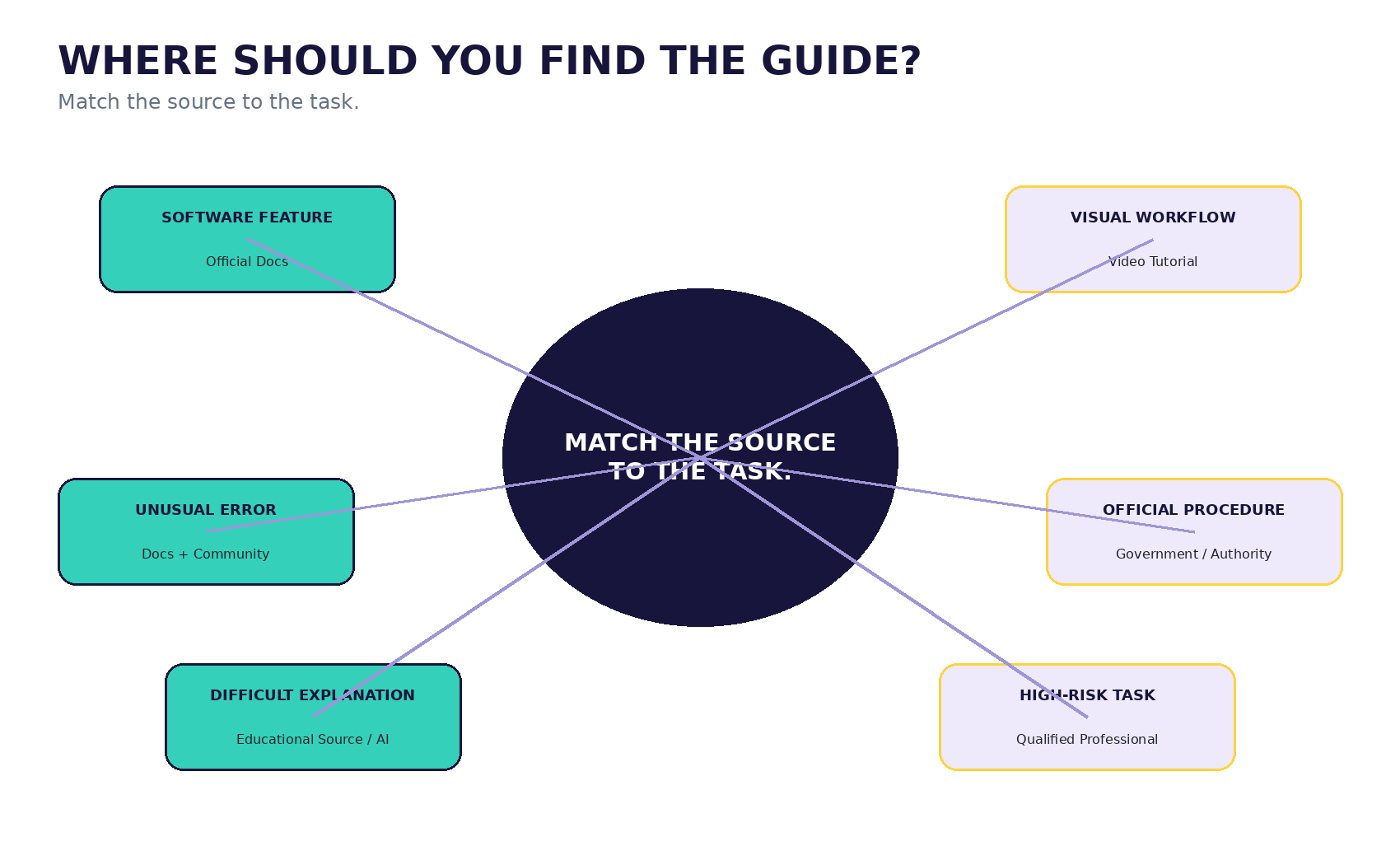 Match the source to the task and the consequence of being wrong.
Official documentation is usually the strongest starting point for current product behavior, supported settings, requirements, warnings and official terminology. The problem is that documentation can assume vocabulary, describe features rather than goals, or split one workflow across several pages.
Official source for truth. Tutorial for translation.
For example, Microsoft documentation may tell you exactly how a feature behaves, while a tutorial may show how a beginner uses it in a realistic spreadsheet. Use the tutorial to understand; use the official source to confirm important details.
Video is often better when the challenge is seeing where something lives or how a sequence feels: Canva workflows, video editing, phone settings, appliance setup, hardware installation and website-builder interfaces.
Before following a video, check the date, software version, final result, recent comments, creator credibility and whether editing may have hidden intermediate steps.
A video can look easy because the hard part was edited out.
| Written Guide | Video Guide |
|---|---|
| Easy to scan and search | Easy to observe movement |
| Easy to copy commands | Shows interface and cursor path |
| Good as a reference | Good as a demonstration |
| Individual steps are easy to update | Visuals can become outdated quickly |
USE VIDEO TO SEE. USE TEXT TO CHECK.
Forums, Reddit discussions, GitHub issues and product communities can be excellent for strange edge cases, real-world errors and workarounds missing from documentation. They are also useful for learning the vocabulary needed to search more precisely.
But a popular answer may be outdated, unsafe or specific to another environment.
Community answers are clues, not automatic authority.
AI assistants can now personalize explanations, answer follow-up questions, interpret screenshots or files in supported contexts, simplify documentation and reveal steps progressively. ChatGPT Study Mode and Gemini's Guided Learning both emphasize guided, interactive learning rather than only giving a final answer.
That makes AI useful as an interpreter. It does not make AI the source of truth. AI can still invent menu options, use outdated interfaces, skip prerequisites, hallucinate commands or misunderstand the situation.
AI can explain the guide without becoming the source of truth.
I am trying to [goal].
I am using [device / software / version].
My current situation is [context].
Give me the steps one at a time.
For each important step:
If you are unsure about a current interface or requirement, tell me what I should verify in the official documentation.
Long guides can overwhelm beginners. Instead of reading twenty steps and losing track at Step 4, ask for Step 1, complete it, check the result, then continue.
ACTION → CHECK → NEXT ACTION
This is especially useful with AI or interactive tutorials because you can stop and ask a clarifying question before the next step.
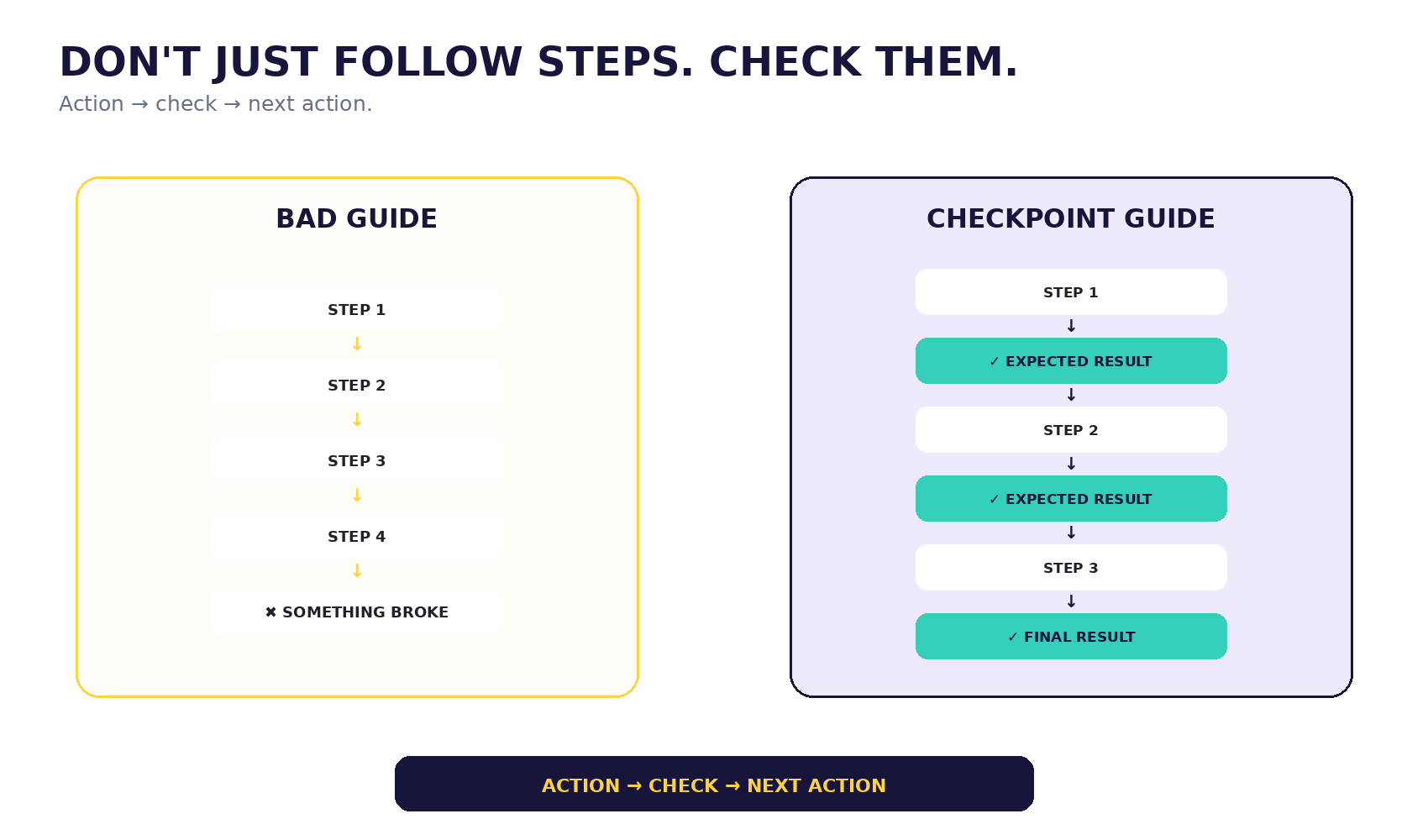 Checkpoint learning makes failure visible before you move too far forward.
A strong guide does not merely say Step 1, Step 2, Step 3. It tells you what you should see after important steps.
Step 1: Do X.
Checkpoint: You should now see Y.
Step 2: Do Z.
Checkpoint: Confirm A happened.
If your screen does not match the checkpoint, stop and investigate. Do not continue simply because the tutorial continues.
Every important step should have an expected result.
Backups matter before instructions that delete data, change DNS, edit website files, modify databases, change account permissions, alter security settings or affect important business records.
BEFORE A REVERSIBLE TASK: PROCEED CAREFULLY.
BEFORE AN IRREVERSIBLE TASK: CREATE A WAY BACK.
Broad: website tutorial.
Better: connect custom domain Shopify.
Better still: connect Namecheap domain Shopify current official.
The same principle works for software, phones and analytics:
Same goal + different starting state can require a different guide.
This is a VEZILL decision aid, not a scientifically validated scoring system. Score each item 0, 1 or 2:
| Criterion | What to Check |
|---|---|
| Task Match | Same exact task? |
| Version Match | Same interface/version? |
| Prerequisites | Starting requirements stated? |
| Step Clarity | Can a beginner follow? |
| Checkpoints | Expected results shown? |
| Warnings | Important risks explained? |
| Source Quality | Credible source? |
| Recency | Current enough for the task? |
13–16: strong guide candidate. 9–12: potentially useful; verify gaps. 5–8: use cautiously. 0–4: find a better guide.
For technical guides, a command should be accompanied by what it does, where to run it, what it changes, what permissions it needs, what output to expect and whether it is reversible.
Never run a command you do not understand in a high-consequence environment.
Do not restart the whole tutorial automatically. Compare expected versus actual.
EXPECTED: “Connected” status.
ACTUAL: “Verification failed.”
CONTEXT: Custom domain on Shopify.
NEXT SEARCH: Shopify custom domain verification failed + provider.
This makes troubleshooting specific instead of emotional.
Opening three videos, four blogs, AI and Reddit at the same time can make the task worse if you mix Step 2 from one method with Step 5 from another.
ONE PRIMARY GUIDE. OTHER SOURCES CLARIFY, VERIFY OR TROUBLESHOOT.
Stop if the interface no longer matches, required permissions differ, an unexpected destructive action appears, the source asks for credentials, commands conflict with official documentation, safety implications appear or checkpoints keep failing.
Stopping is sometimes the correct step.
A guide can be detailed, beautiful and easy to follow—and still be wrong.
CLARITY ≠ ACCURACY. DETAIL ≠ SAFETY. CONFIDENCE ≠ AUTHORITY.
For health, legal, tax, finance, cybersecurity, electrical work, vehicle repair, structural work, immigration and safety-critical tasks, use stronger sources and qualified professionals where appropriate.
For government tasks, start with the responsible authority. Business Registration Service information is available through BRS and eCitizen; tax procedures should be checked with KRA; payment-service instructions such as M-Pesa business processes should begin with official provider information.
For software, use official documentation and current tutorials. For university procedures, use the institution's official portal or website. For local repairs and safety-sensitive work, use manufacturer documentation or qualified technicians.
Do not assume a foreign tutorial applies to Kenyan tax, banking, law, licensing, government services or payment systems.
Many people follow a guide on the same phone they are using to complete the task. That creates friction: app switching, video restarting, lost browser state, tiny screenshots and mobile data usage.
A useful pattern is to give AI difficult official documentation and ask:
“Explain these instructions to a beginner, but do not change the requirements. Separate the explanation from what the official source actually says.”
SOURCE = AUTHORITY. AI = INTERPRETER.
| Format | Best For |
|---|---|
| Quick answer | What to do next |
| Guide | How to complete a bounded task |
| Checklist | Reminder for someone who already knows how |
| SOP | How an organization expects a repeated task to be done |
| Course | Broader skill, connected concepts and repeated practice |
If you successfully complete a task you may need again, record:
This becomes a lightweight personal knowledge library instead of forcing you to search from zero next time.
When repeated experience becomes a reliable method, VEZILL's guide to turning work experience into a digital product explains how genuine expertise can be organized into reusable knowledge without exposing confidential material.
Recency matters much more for software, AI tools, APIs, government procedures, tax, social platforms and website builders than for stable mathematics or foundational principles.
Whenever the interface, rule or platform changes frequently, include the version and check current official documentation.
| Goal | Best Guide Type | Starting Source | Verify |
|---|---|---|---|
| Create Excel dropdown | Written + visual | Microsoft docs | Version and range |
| Export Canva for print | Visual + help article | Canva help | PDF option and printer needs |
| Change WordPress block setting | Written/video | WordPress docs | Editor version |
| Connect Shopify domain | Official guide | Shopify/provider docs | DNS records and email impact |
| Use ChatGPT feature | Official help | OpenAI help | Current feature availability |
| Find GA4 landing page data | Docs + walkthrough | Google Analytics docs | Report definition |
| Change phone setting | Official help | OS/manufacturer | OS version |
| Set up Wi‑Fi router | Manufacturer guide | Router vendor | Model and security |
| Remove video noise | Video tutorial | Editor help | Export quality |
| Read CSV in Python | Written docs | Python docs | Python/library version |
| Resolve Git error | Docs + community | Git docs/issues | Exact error and branch state |
| Connect website domain | Provider-specific docs | Host + registrar | Starting state |
| Configure business email | Official setup | Email provider | DNS and existing mail |
| Register business Kenya | Official procedure | BRS/eCitizen | Current requirements |
| Handle KRA procedure | Official procedure | KRA | Taxpayer-specific applicability |
| Use M-Pesa business feature | Official guide | Safaricom | Account/product type |
| Submit job application | Employer guide | Employer career page | Deadline and required docs |
| Format CV | Written guide | Credible career source | Role relevance |
| University procedure | Official instructions | Institution portal | Semester/current rules |
| Set campaign tracking | Platform docs | Analytics/ad platform | Tag setup |
| Export logo | Software guide | Design app help | Format and transparency |
| Clean dataset | Docs + tutorial | Spreadsheet/data tool docs | Data loss |
| Sell online | Provider guide | Marketplace/payment docs | Fees and policy |
| Security configuration | Official + professional | Vendor docs | High-risk implications |
Goal: create a dropdown list. Start with Microsoft documentation. If the written instructions are hard to visualize, use a current tutorial for demonstration. Verify by clicking several cells and confirming only the intended values are allowed.
Goal: export for professional printing. Check Canva's current export options, then confirm the printer's requirements. “PDF” alone may not tell you whether bleed, crop marks or color handling matter.
Goal: change a block setting. If the tutorial shows a menu you do not have, stop. Check your editor version, theme or block type before assuming you missed a button.
Goal: connect a domain. First identify where the domain is registered, where the website is hosted and whether email uses the same domain. Do not follow a universal DNS recipe. Use provider-specific instructions, note the required records, create a recovery path and verify the domain only after the expected DNS changes appear.
Goal: register a business name. Start with Business Registration Service / eCitizen, not an old creator walkthrough. Use videos only to make the interface easier to understand after confirming the current official process.
Goal: understand complicated official documentation. Give the official instructions to AI, ask for a beginner explanation and checklist, then compare the simplified version with the original source before acting.
☐ Exact task matches
☐ Tool matches
☐ Version matches
☐ Starting state matches
☐ Prerequisites listed
☐ Important warnings included
☐ Steps understandable
☐ Expected results shown
☐ Final result demonstrated
☐ Source trustworthy
☐ Information current
☐ Recovery path exists where needed
If you repeatedly search for Excel formulas, PivotTables, lookups and charts, the problem is no longer one task. You may need Excel as a skill. VEZILL's guide to what you can realistically learn in 30 days explains why narrow outcomes are useful starting points but not substitutes for broader competence.
Once practice becomes real evidence, see VEZILL's guide to building a portfolio without experience.
Learning one tutorial is not enough to sell a professional service. But repeated practice can eventually become reliable capability. VEZILL's article on problems you can solve online explains the difference between knowing a tool and producing a useful outcome.
For small-business work, what small businesses pay freelancers to solve is a stronger next step than simply collecting more tutorials.
If the work becomes repeatable enough to offer professionally, how to package a freelance service shows how to turn capability into a defined deliverable.
Sometimes the problem is not finding a guide. It is choosing between several guides that all look credible.
Do not automatically choose the longest, newest or most popular one. Compare the match to your actual situation.
The strongest choice may be Guide A as the authority and Guide C as the explanation. This is why the “one primary guide” rule does not mean “one source forever.” It means one sequence should control the work, while other sources clarify or verify specific points.
When two credible guides conflict, do not average them. Identify which assumption differs: provider, version, account type, country, device, plan or starting state. A conflict is often evidence that the context matters.
Two people can want the same result and still need different instructions.
Imagine both want to “set up business email.” One person has a domain registered with the same company that hosts the website. The other has a domain at one registrar, hosting somewhere else and an existing email service already receiving mail. A guide that works perfectly for the first person could break the second person's setup.
Before following a guide, write one sentence describing your starting state:
“My domain is registered at [provider], my website is hosted at [provider], and my email currently uses [service].”
That one sentence can dramatically improve search results, support tickets and AI explanations because it exposes the context that changes the procedure.
A beginner-friendly tutorial is not one that removes every technical term. It is one that explains the terms that matter, shows where the learner is starting, and does not assume invisible setup.
Strong beginner guides usually do six things well:
This is especially important when someone is learning from a phone or working without a teacher beside them. A guide should reduce uncertainty, not simply reduce word count.
There is a difference between using a guide as support and needing the same guide every time.
After completing the task once, repeat it from memory if the task is safe. Then compare your process with the guide. On the third attempt, explain the reason behind each important step. This begins converting instructions into understanding.
If you repeatedly need guides for the same category of work, consider structured learning. VEZILL's article on skills you can learn online and develop into a business capability explains why repeated tasks eventually need a broader mental model rather than endless isolated fixes.
When your learning produces work you can honestly demonstrate, VEZILL's portfolio guide for beginners shows how to turn practice into evidence without pretending a personal project was paid client work.
Happy-path tutorials assume every step works. Troubleshooting guides start from failure.
A strong troubleshooting guide should help you identify:
Good troubleshooting is a process of elimination. It should not encourage random changes until something happens to work.
For software and technical work, a useful question is: “What is the smallest safe test that distinguishes between these possible causes?” That question keeps troubleshooting controlled.
If you already have a reliable source, AI becomes much more useful because you can constrain it to that material.
You can ask AI to:
This is safer than asking AI to invent a complete procedure from memory when the interface or policy changes frequently.
VEZILL's article on how AI can support small businesses applies the same principle: AI works best when attached to a bounded problem and a controlled workflow.
You do not need a complicated second brain. Save only guides you expect to use again.
A simple record can contain:
Task: Connect custom domain
Primary source: Official provider guide
My setup: Registrar A + Website Platform B
Last verified: September 2026
Important note: Existing email uses the same domain
When you return months later, verify the guide again before reusing it. Saved information can become stale just as easily as search results.
If you repeatedly solve the same problem, eventually you may stop needing someone else's tutorial. You know the prerequisites, the decision points, the common failures and the quality checks.
That is the point where your personal notes can become an SOP, checklist, internal training document or reusable guide.
If this method came from real work experience, VEZILL's article on turning work experience into a digital product explains how to organize genuine experience into a reusable resource without copying confidential employer or client material.
If AI is used to help structure that resource, VEZILL's AI-assisted digital product workflow is useful for keeping human verification and source responsibility central.
Business guides require a different standard because the “correct” action often depends on customer type, market, budget and operational context.
A tutorial can show you how to create an ad campaign. It cannot guarantee that the campaign is appropriate for your business. A guide can show you how to create a proposal. It cannot decide whether the service is valuable enough to sell.
VEZILL's article on problems small businesses pay freelancers to solve is a useful reminder that the tool is not the problem. The business outcome matters.
Similarly, packaging a freelance service requires judgment about client, problem, scope and proof—not only a sequence of software steps.
One of the easiest ways to judge a guide is to ask whether it shows the finished state clearly. If the tutorial teaches you to build a dashboard, does it show the completed dashboard? If it teaches a domain connection, does it show the verified status? If it teaches a phone setting, does it show the setting after the change?
The finished result matters because it gives you a target. Without it, you may follow every instruction and still not know whether the process succeeded.
This is especially important when a guide contains choices. A good tutorial should explain which choice applies to which situation, not merely show what the creator selected. If there are multiple valid outcomes, it should say so.
When a result is measurable, verify it. A page-speed guide should not end with “your site should be faster”; it should tell you how to check. A spreadsheet guide should not end with “duplicates removed”; it should show how to compare row counts or inspect sample records. A business-process guide should identify what document, status or confirmation proves completion.
A guide is stronger when the learner can independently recognize success.
Online tutorials often sound certain because certainty is easy to communicate. That tone can be useful when the instruction is correct, but it can also hide assumptions.
Before trusting a confident guide, look for evidence that the author understands the environment: current screenshots, correct terminology, citations to official documentation, a demonstrated result, explained limitations or an honest note about where the procedure may differ.
The more consequential the task, the less you should rely on tone. A calm, beautifully edited video is not safer than an official warning. A long tutorial is not automatically more accurate than a short support page.
For low-risk tasks, reasonable testing is often enough. For high-risk tasks, authority and verification matter more than presentation quality.
Start with official documentation, help centers, written tutorials, YouTube, educational sites, community forums and AI assistants. Match the source to the task.
There is no single best site. Official documentation is strongest for current product behavior; tutorials are better for translation and demonstration.
They can be excellent for visual tasks. Check the date, version, finished result, recent comments and whether important steps were edited out.
For authority, usually yes. For beginner-friendly explanation, a good tutorial may be easier. Using both is often strongest.
Yes. It can personalize and explain instructions, but current product details and high-stakes steps should still be verified against authoritative sources.
Compare the publication date, software version, interface, menu names and current official documentation.
Check source authority, recency, prerequisites, warnings, version match, checkpoints and whether it conflicts with official information.
Stop, compare your version and device, check official documentation and search the exact mismatch before continuing.
Usually use one primary guide. Use other sources to clarify, verify or troubleshoot rather than mixing incompatible sequences.
Compare expected versus actual, capture the exact error or mismatch and search that specific step plus your tool and version.
They can solve bounded tasks. Repeated skills usually require broader learning, practice, feedback and experience.
Use the responsible official authority for government, tax and payment procedures, and current official product documentation for software and digital services.
Start with the source closest to the task. Then make sure the guide matches your task, tool, version, starting state and desired outcome.
CHECK PREREQUISITES → FOLLOW ONE PRIMARY GUIDE → VERIFY EACH IMPORTANT CHECKPOINT → TROUBLESHOOT DIFFERENCES → CONFIRM THE RESULT
The best step-by-step guide is not the one with the most steps. It is the one that gets you from where you are to the result you need—without hiding what happens in between.
Discover more articles you might be interested in
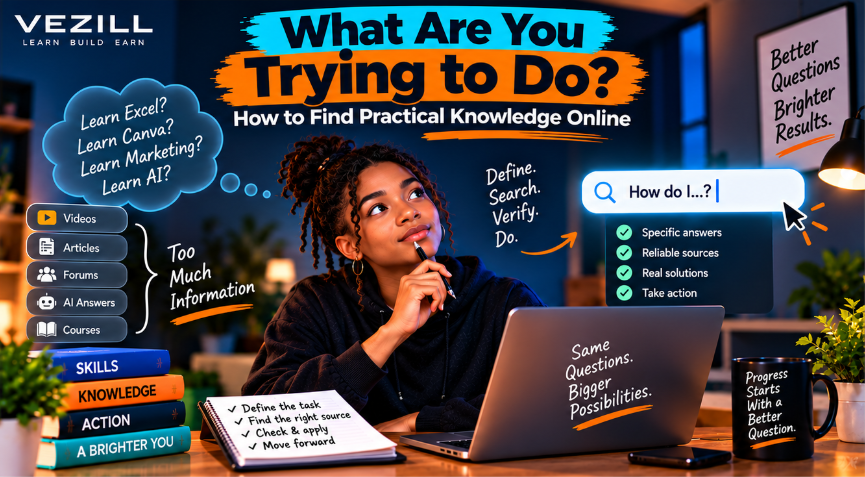
Stop searching broad topics and start finding the exact knowledge you need. Learn how to define your problem, search smarter, choose reliable sources, verify answers and take action.
By Davie
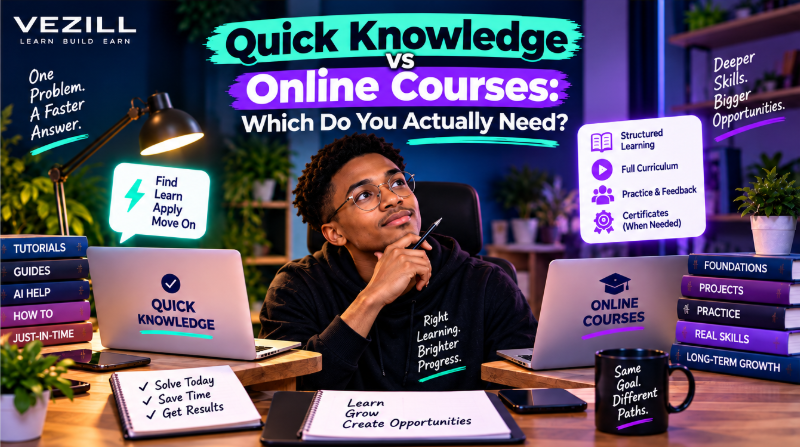
Quick Knowledge or an online course? Learn when a focused answer is enough, when structured learning is better, and how to choose the right learning depth for your goal.
By Davie

Learn how to turn one useful digital product into multiple income streams through premium versions, bundles, courses, licensing, services, subscriptions, B2B sales and complementary products.
By Davie

Can selling digital products become a sustainable long-term business? Learn what makes the model durable, why products fail, how AI changes the market and how to build recurring value.
By Davie
Get the updates, on newly released, popular & fast-moving MRR digital products
Up to Top
Comments All
Joel
@joel
Finding a clear guide can save you so much time when you’re trying to learn something new. Sometimes you don’t need a whole course, you just need the right steps to follow.
September 17,2026 At 05:47 PM