
A beginner can create useful digital products without building a giant course, complicated app or huge ebook. The best first product is usually a small, practical resource that solves one real problem for one specific person.
When people first discover digital products, they often ask for more ideas: ebooks, templates, courses, planners, prompts, apps, printables, memberships and dozens of other formats. That sounds helpful, but it can create a new problem—too many choices and no clear way to decide what to build.
Beginner-friendly digital products include checklists, templates, worksheets, trackers, planners, spreadsheets, swipe files, prompt packs, short PDF guides, mini ebooks, workbooks, resource lists, SOPs, Notion templates, Canva templates, presentation templates, printable resources, digital toolkits, recorded tutorials, workshops, mini-courses, original digital assets and simple no-code tools.
The best beginner product is not necessarily the easiest file to create. It is the smallest product you can create competently that solves a problem someone actually cares about.
WHAT YOU KNOW → WHO NEEDS IT → PROBLEM → USEFUL OUTCOME → SIMPLEST FORMAT → VALIDATION → CREATE → SELL → IMPROVE
ONE AUDIENCE + ONE PROBLEM + ONE USEFUL OUTCOME + ONE SIMPLE PRODUCT
If you are still unsure what useful knowledge you possess, start with how to identify valuable knowledge you already have. That article helps you surface repeated problems, useful methods and practical lessons before choosing a format.
A digital product is something created, stored and delivered electronically rather than as a physical item. It can be a document, template, digital tool, educational resource, media file, software product, membership resource or digital asset.
What matters is not that the file is downloadable. A useful digital product should help a defined user do something better, faster, more consistently or with less confusion.
| Type | Example | What the buyer receives |
|---|---|---|
| Digital product | Budget spreadsheet | A reusable downloadable or cloud-based tool |
| Physical product | Printed budget planner | A physical item |
| Service | Setting up someone's budget system | Your time and custom work |
| Productized service | Fixed-price spreadsheet setup package | A standardized service with defined scope |
| Course | Structured Excel training | Organized learning content |
| Subscription | Monthly resource library | Continuing access or updates |
These models can overlap. A spreadsheet can be sold alone, bundled into a toolkit, included inside a course or customized as part of a service. The important question is how the customer needs to use the solution.
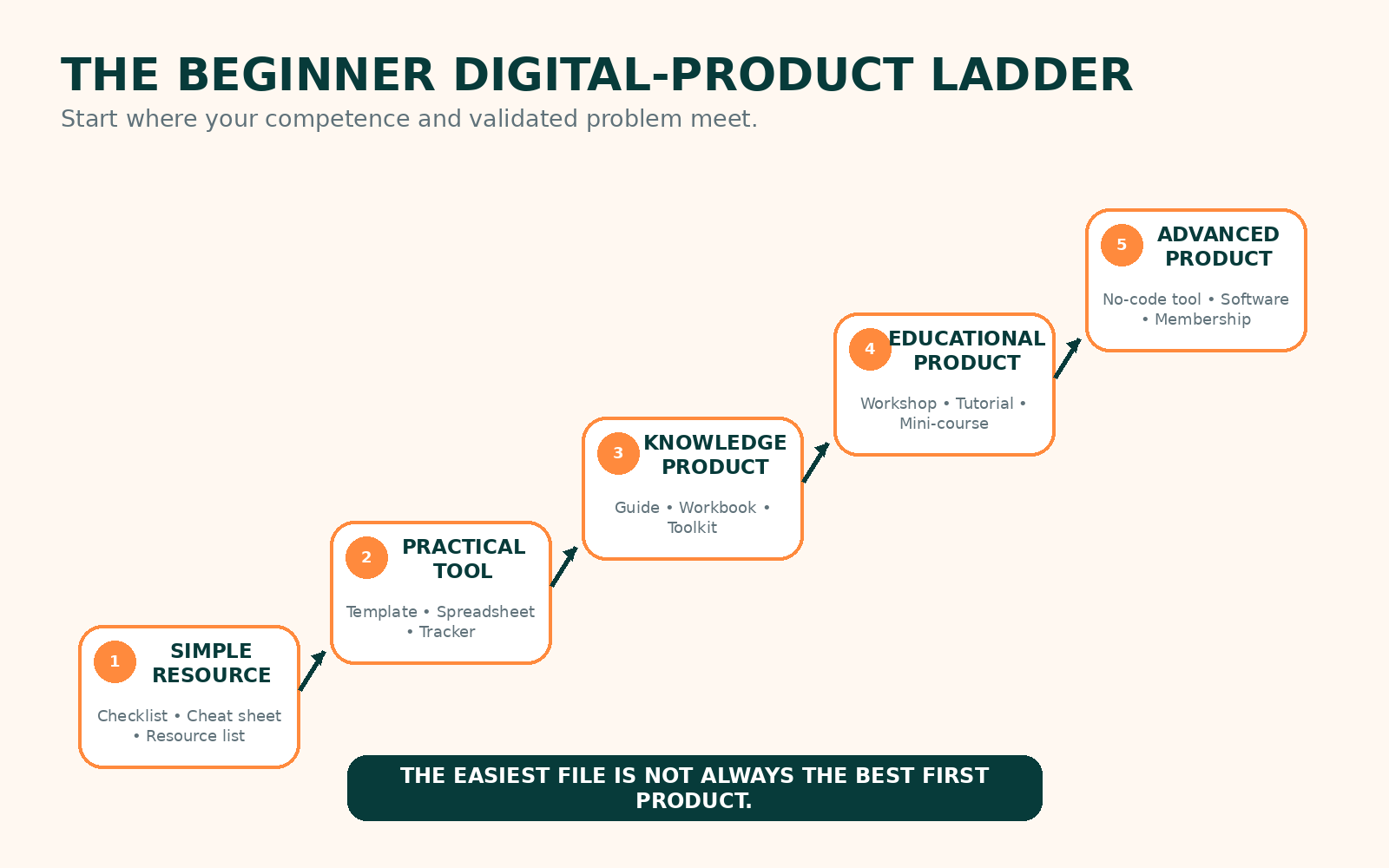 The beginner digital-product ladder: start where your competence and validated problem meet.
Digital products vary greatly in complexity. A beginner in selling digital products may still have deep professional expertise, so “beginner” does not automatically mean “start with the simplest file.”
Checklists, cheat sheets, resource lists, swipe files, simple worksheets and prompt packs are quick to prototype. They work well when the problem is narrow: remembering steps, organizing references or completing a repeated task. They become weak when they contain little more than generic information anyone can produce in minutes.
Spreadsheets, trackers, planners, calculators, Canva templates, Notion templates, SOPs and business templates can be more useful than longer content because the buyer can immediately apply them. A well-designed inventory sheet may create more utility than a 70-page ebook about inventory management.
PDF guides, ebooks, workbooks, playbooks, tutorials and toolkits suit problems that require explanation plus action. Original structure, examples and step-by-step application matter more than length.
Workshops, mini-courses, recorded tutorial series, bootcamps and email courses work when the buyer needs guided learning. Beginners should usually validate the topic before recording hours of video.
Software, mobile apps, no-code tools, memberships, large courses, paid databases and subscriptions can create stronger recurring value but also introduce maintenance, support, privacy, hosting and technical demands.
The easiest product depends on your knowledge, tools and audience. The table below is a decision aid, not a universal timetable.
| Product Type | Best For | Difficulty | Time to First Version | Tools Needed | Validation Difficulty | Maintenance | Beginner Suitability |
|---|---|---|---|---|---|---|---|
| Checklist | Remembering steps | Very Low | Short | Docs/design tool | Low | Low | High |
| Worksheet | Guided thinking or practice | Low | Short | Docs/design tool | Low | Low | High |
| Planner | Repeated planning | Low | Short–Medium | Docs/design tool | Medium | Low | High |
| Tracker | Monitoring progress | Low | Short–Medium | Spreadsheet/Notion | Low | Low | High |
| Spreadsheet | Tracking, calculation, reporting | Medium | Medium | Sheets/Excel | Medium | Medium | High if skilled |
| Canva template | Repeatable design tasks | Low–Medium | Short–Medium | Canva | Medium | Low | High |
| Notion template | Organization systems | Medium | Medium | Notion | Medium | Medium | Medium–High |
| Prompt pack | Specific AI workflows | Low | Short | AI assistant | Medium | High | Medium |
| Swipe file | Reference examples | Low | Short | Docs | Low | Low | High |
| PDF guide | Explaining one process | Low–Medium | Medium | Docs/design | Medium | Low | High |
| Ebook | Deeper explanation | Medium | Medium–High | Writing/design | Medium | Low | Medium |
| Workbook | Learning through exercises | Medium | Medium | Docs/design | Medium | Low | High |
| Digital toolkit | Multiple related tasks | Medium | Medium | Several tools | Medium | Medium | High |
| Recorded tutorial | Demonstrating a workflow | Medium | Medium | Screen recorder/editor | Medium | Medium | High |
| Mini-course | Guided learning | High | Medium–High | Video/course tools | High | Medium | Medium |
| Workshop | Interactive learning | Medium | Medium | Slides/video calls | Low–Medium | Medium | High if knowledgeable |
| Digital asset pack | Creative reuse | Medium | Medium | Design/audio tools | Medium | Low | Medium |
| No-code tool | Interactive functionality | High | High | No-code platform | High | High | Medium |
The strongest beginner products solve a specific use case rather than simply belonging to a popular category.
A checklist reduces forgotten steps. A website launch checklist, interview preparation checklist or stock-check checklist can be useful when missing one step creates real inconvenience. Validate it by observing whether users actually follow it and whether it prevents errors.
Templates reduce repeated creation. Email, proposal, social-media, invoice, client-onboarding and business-document templates work when people recreate the same structure repeatedly. Licensing matters: fonts, graphics, photos and third-party assets must permit the intended use.
Budget trackers, expense sheets, inventory systems, freelance-income trackers, farm records, content calendars and sales trackers are practical because they help users organize or calculate information. Functionality usually matters more than decorative design.
Study planners, content planners, project sheets and reflection workbooks work when the planning structure itself is helpful. Generic printable clutter is weak; a useful system should guide decisions or actions.
A narrow guide is usually easier to position than a broad one. “A Beginner's Checklist for Setting Up WhatsApp Business for a Small Retail Shop” is clearer than “Complete Guide to Business.” Specificity makes the audience, problem and outcome easier to understand.
A toolkit combines resources that work together. A freelancer onboarding toolkit might include a questionnaire, welcome email, checklist, project tracker and handover template. Bundling makes sense when the pieces solve connected parts of one workflow.
Generic AI prompts are easy to reproduce and can become outdated quickly. A stronger prompt product includes a specific use case, tested prompts, variables, instructions, example inputs and outputs, limitations and workflow guidance. VEZILL's article on what you can create and sell online using AI makes the same important distinction: AI-assisted products still need human review, original value and practical usefulness.
Some tasks are easier to show than describe. A screen-recorded Excel workflow, Canva setup or data-cleaning process can be more useful than a long written guide if the audience needs to see each action.
A focused workshop can be a better first test than a huge course. One problem, one useful transformation and one short learning experience is easier to validate than twenty hours of content.
Original icons, presentation templates, presets and creative assets can work when the creator has appropriate design or production skills. Originality and licensing are central.
Calculators, generators, directories and dashboards can now be built with no-code and AI-assisted tools, but software-like products introduce hosting, security, privacy, testing, maintenance and support. They are not automatically the easiest beginner option.
Do not automatically productize a skill. Productize a useful solution created with the skill.
| If You Already Know... | Possible Beginner Product |
|---|---|
| Excel | Tracker or spreadsheet |
| Graphic design | Canva template pack |
| Social media | Content planner |
| Teaching | Worksheet or mini lesson |
| Administration | SOP or workflow toolkit |
| Customer service | Response template pack |
| Digital marketing | Campaign checklist |
| Farming | Record-keeping template |
| Cooking | Specialized recipe guide |
| Job searching | Application tracker |
| Project management | Project template |
| Data analysis | Reporting template |
| Web design | Website planning checklist |
| AI tools | Tested workflow or prompt toolkit |
| Freelancing | Client onboarding toolkit |
Professionals and employees can also convert repeated workplace knowledge into useful resources, provided they remove confidential or employer-owned material. See how to turn work experience into a digital product for the deeper process.
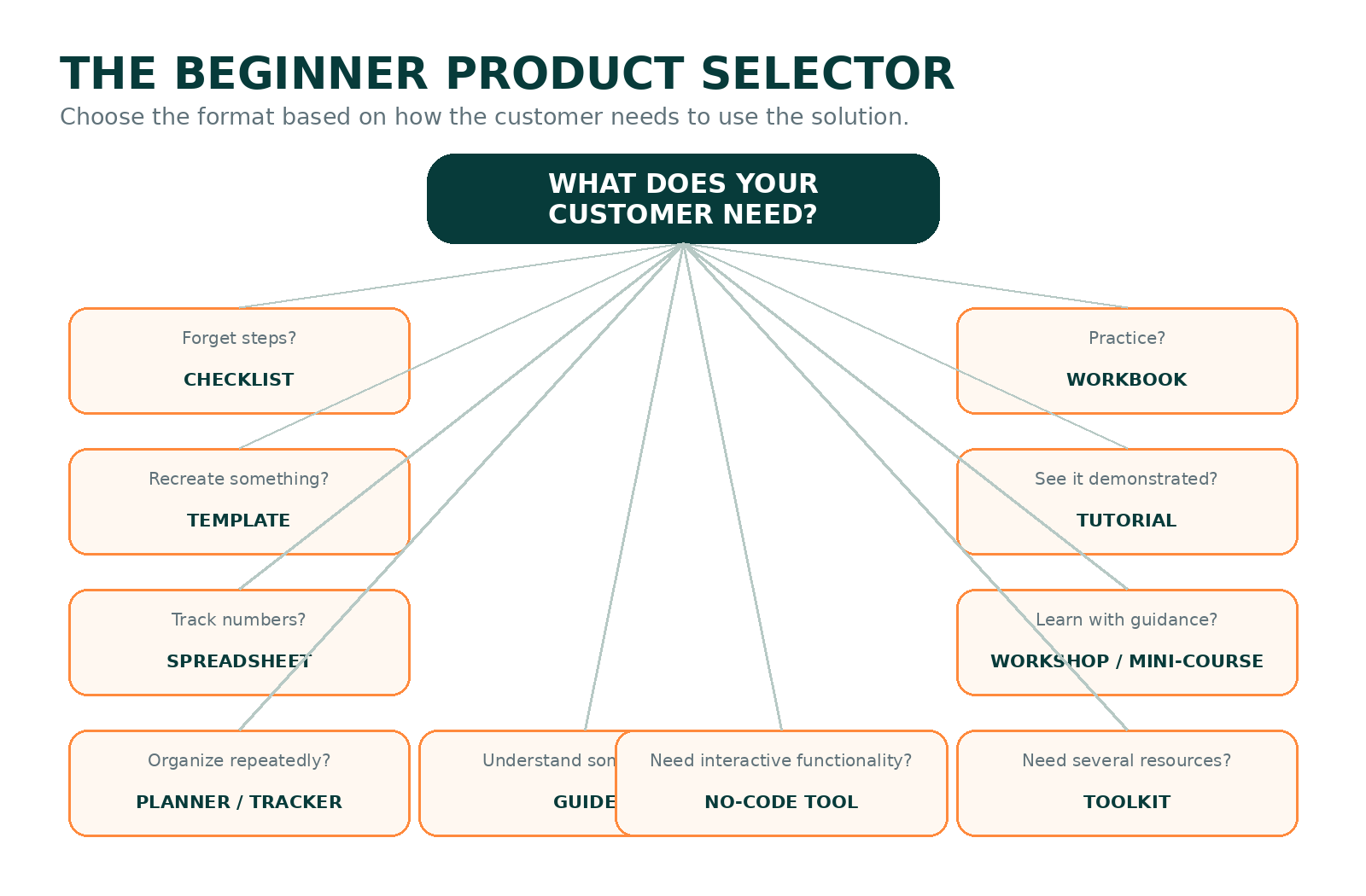 Choose the format based on how the customer needs to use the solution.
Choose the format based on the customer task, not on which format sounds most impressive.
Mainly need information?Guide, ebook, tutorial Need to complete a task?Checklist, template, worksheet, spreadsheet Need repeated organization?Planner, tracker, dashboard, Notion template Need to learn a skill?Workshop, tutorial, mini-course Need multiple resources?Toolkit or bundle Need interactive functionality?Calculator, no-code tool, softwareStart with a problem, not a file format. Investigate repeated questions, manual tasks, common mistakes, confusing processes, decisions people struggle with, information they repeatedly organize and work they already pay someone else to do.
PROBLEM → CURRENT SOLUTION → FRICTION → BETTER RESOURCE → PRODUCT IDEA
For example, suppose a small online seller records every order in a notebook. The notebook works, but summarizing weekly sales is tedious. A simple order-and-sales spreadsheet could be a useful hypothesis. That is stronger than starting with “I want to sell a spreadsheet—what spreadsheet should I make?”
Validation means collecting evidence that the problem exists and that your proposed solution deserves attention before you build the full version.
Useful validation sources include search behavior, Reddit and community discussions, customer interviews, competing products, competitor reviews, freelance requests, comments, social questions, free prototypes, waitlists, landing pages, small paid pilots and responsible preorders.
Competition is not automatically bad. Existing products may indicate that buyers recognize the problem. The more important question is whether you can serve a specific audience, context or workflow more clearly or effectively.
For a structured process, use VEZILL's guide on how to validate a digital product before creating it. It emphasizes testing before investing heavily in production.
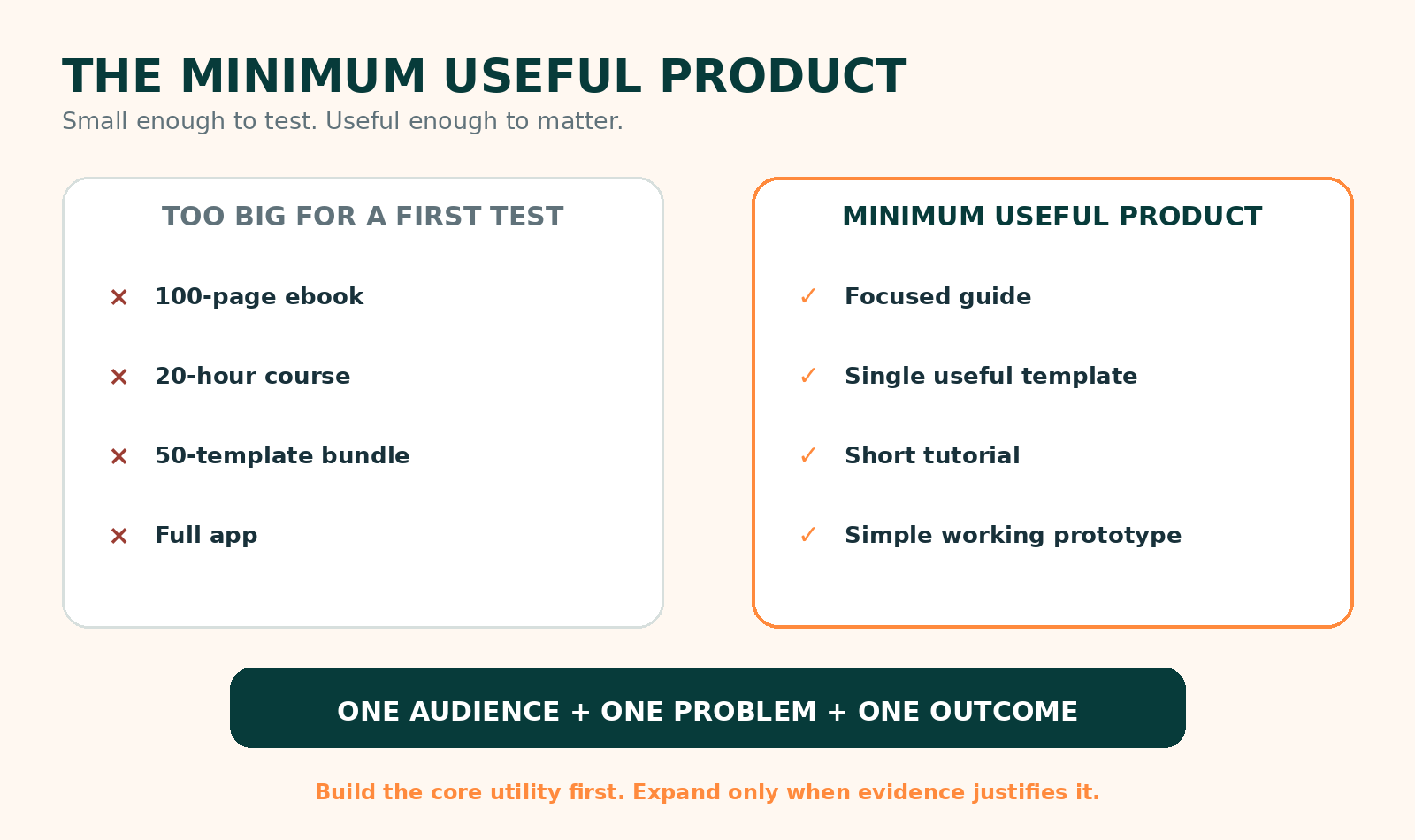 A Minimum Useful Product is small enough to test but complete enough to matter.
A Minimum Useful Product—or MUP—solves one problem, works correctly, is understandable, is easy to access, includes enough guidance and delivers the promised core utility.
Instead of a 100-page social-media ebook, you might test a 30-day content planning template plus a short setup guide. Instead of a 20-hour Excel course, test an expense tracker plus a short tutorial. Instead of a huge job-search course, test an application tracker plus an interview-preparation checklist.
The goal is not to make something cheap-looking or incomplete. It is to remove unnecessary scope while preserving usefulness.
Yes. AI can assist with brainstorming, research organization, outlining, drafting, editing, spreadsheet formulas, coding assistance, design ideation, product descriptions, FAQs, customer-research synthesis, examples, translation and testing instructions.
AI should not invent expertise, fabricate customer research, produce fake testimonials, copy copyrighted products, generate unsafe professional advice or replace human testing. It should also not receive confidential employer or client data without permission.
AI can make creation faster. It cannot make an unnecessary product useful. AI Beginner Product Discovery PromptA phone can be enough for simple products such as short guides, checklists, Canva templates, planners, worksheets, prompt guides, recorded tutorials, resource lists and social-media assets.
It is not equally suitable for everything. Complex spreadsheets, large courses, software, advanced design and heavy video editing may be easier on a computer. Mobile-first creation is practical when the format is simple and the creator tests the final experience carefully.
You can often validate an idea using tools you already have before buying expensive software. Documents, spreadsheets, design tools, note-taking apps, screen recorders, AI assistants and no-code platforms may offer free or freemium options, but their terms and limits change.
Free software does not mean zero business cost. Internet/data, domains, marketplace fees, payment processing, advertising, premium assets, customer support, taxes and your time may still matter.
A Kenyan or African creator does not have to choose between “local” and “global.” Both are valid directions.
Examples include small-business record keeping, student planning, farm records, freelance organization, event administration, church or community administration, social-media planning and online-selling workflows.
Freelancing, productivity, design, education, technology, AI workflows, content creation and career development can all be addressed for international audiences.
VEZILL's guide to digital products to sell in Kenya provides additional examples, but the most useful principle remains specificity: solve a real problem rather than chasing a category only because it is popular.
These are illustrations, not verified customers or guaranteed opportunities.
Existing knowledge: organizing assignments. Audience: first-year students. Problem: deadlines become scattered. First product: assignment tracker. Why: the need is organization, not a long ebook. Tools: spreadsheet or Notion. Evidence: interviews with students. Validation: test with a small class group. Do not include: copyrighted course materials. Upgrade: full semester planning toolkit.
Existing knowledge: explaining one difficult topic. Audience: beginners. Problem: repeated confusion. First product: worksheet plus short solution guide. Why: learners need practice. Tools: Docs/Canva. Evidence: learner feedback. Validation: pilot the worksheet. Do not include: restricted exam content. Upgrade: mini-course.
Existing knowledge: meeting follow-up. Audience: small teams. Problem: action items disappear. First product: meeting tracker + follow-up checklist. Why: operational problem needs a tool. Tools: Sheets. Evidence: usage feedback. Validation: test with two teams. Do not include: internal employer forms. Upgrade: administration toolkit.
Existing knowledge: content planning. Audience: small retailers. Problem: inconsistent publishing. First product: 30-day content planner. Why: repeated planning is the task. Tools: Sheets/Canva. Evidence: interviews and sample use. Validation: one-month pilot. Do not include: client data. Upgrade: content toolkit.
Existing knowledge: making simple brand graphics. Audience: microbusiness owners. Problem: they recreate promotions poorly. First product: editable campaign template set. Why: repeated design task. Tools: Canva/design software. Evidence: actual editability and user testing. Validation: let non-designers customize it. Do not include: unlicensed fonts or images. Upgrade: niche brand kit.
Existing knowledge: keeping seasonal records. Audience: small farmers. Problem: costs and activities are difficult to review. First product: farm-record tracker. Why: tracking is the core need. Tools: spreadsheet. Evidence: usability with real routines. Validation: small field test. Do not include: private buyer or supplier terms. Upgrade: seasonal planning toolkit.
Existing knowledge: handling repeat customer enquiries. Audience: online sellers. Problem: inconsistent replies. First product: customer response template pack. Why: repeated communication task. Tools: Docs. Evidence: common enquiry patterns. Validation: test clarity with sellers. Do not include: customer data. Upgrade: support SOP kit.
Existing knowledge: onboarding clients. Audience: newer freelancers. Problem: projects start chaotically. First product: onboarding toolkit. Why: several related assets are needed. Tools: Docs/Sheets. Evidence: workflow testing. Validation: use with three projects. Do not include: client contracts without rights. Upgrade: complete freelance operating system.
Existing knowledge: cleaning data and creating reports. Audience: small-business teams. Problem: monthly spreadsheets are inconsistent. First product: reporting template. Why: repeated reporting task. Tools: Excel/Sheets. Evidence: public-data demo. Validation: test with fictional or public datasets. Do not include: employer data. Upgrade: reporting dashboard toolkit.
Existing knowledge: troubleshooting a common setup. Audience: beginners using the same tool. Problem: setup failures. First product: troubleshooting checklist + short tutorial. Why: users need diagnosis and demonstration. Tools: Docs + screen recorder. Evidence: reproducible examples. Validation: observe beginners using it. Do not include: proprietary code or credentials. Upgrade: interactive diagnostic tool.
Score each idea from 1 to 5 on problem importance, frequency, audience clarity, personal competence, evidence, ease of validation, ease of creation, ability to demonstrate value, differentiation, legal/IP safety, maintenance burden, customer accessibility and your willingness to keep improving it.
A high score is not scientific proof and does not guarantee sales. It helps you compare ideas more rationally.
Usually avoid unnecessary complexity before demand is clear.
Do not choose a price because someone online says every ebook should cost the same amount. Pricing depends on problem importance, time saved, convenience, specificity, quality, depth, audience purchasing power, alternatives, competition, support, updates, licensing, included tools and demonstrated value.
Price, perceived value and actual usefulness are related but not identical. A low price does not make a weak product useful, and a high price does not make a generic product premium.
Possible channels include creator storefronts, digital-product marketplaces, personal websites, ecommerce platforms, social-commerce funnels, email lists, communities, direct sales and a freelance-to-product path.
The best platform depends on location, payment availability, fees, product format, audience, licensing, discoverability, customer support and tax obligations. No marketplace automatically guarantees customers.
VEZILL can be one place to explore publishing and selling digital resources, while its article on how to market digital products is useful once a product has been validated and created. If you are building an AI-assisted product without an audience, selling AI products without an audience explains the difference between having followers and having distribution.
For skill gaps, Inceptor currently lists practical training in digital marketing and data analysis, both of which may help creators who need stronger underlying competence before packaging a solution.
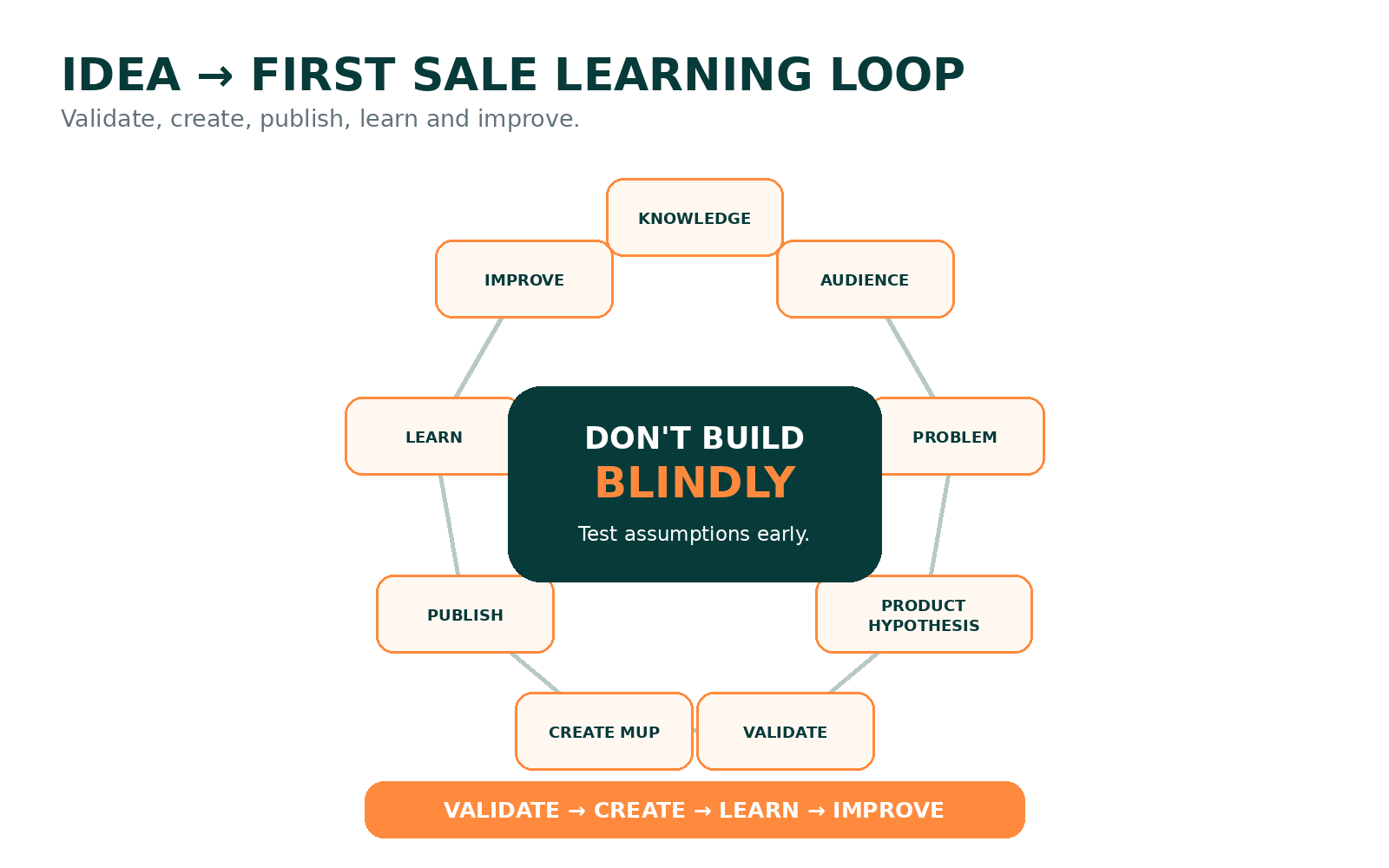 Do not build blindly. Validate, create, publish, learn and improve.
Something I know how to do: ______________________________
A specific person who may need this: _______________________
The problem they experience: ______________________________
How they solve it now: ____________________________________
What is frustrating about the current solution: _____________
The useful outcome I could help create: ____________________
The simplest product format: _______________________________
Why this format fits: ______________________________________
Evidence that the problem exists: __________________________
People I can interview: ____________________________________
Smallest useful version I can create: _______________________
Tools I need: ______________________________________________
Information or skills I am missing: _________________________
Legal/IP issues to check: __________________________________
What I must NOT include: ___________________________________
How I will validate it: _____________________________________
What success in the first test would look like: _____________
What I will do if the test fails: ____________________________
This plan does not mean every product can be completed in seven days. The goal is to reach a validated product direction or a small first version.
Do: list skills, experiences, repeated problems, tools and useful processes. Evidence: examples you can demonstrate. Avoid: inventing expertise. Output: three knowledge areas.
Do: select a specific reachable group. Evidence: real people or communities you can access. Avoid: “everyone.” Output: one audience statement.
Do: interview people and study current alternatives. Evidence: repeated complaints, search behavior or requests. Avoid: assuming a problem exists because you like the idea. Output: one problem hypothesis.
Do: use the Product Selector. Evidence: the format matches how users need to act. Avoid: choosing an impressive format unnecessarily. Output: one product hypothesis.
Do: show a mockup, prototype, landing page or sample. Evidence: sign-ups, requests, actual usage or paid pilot where appropriate. Avoid: relying on compliments. Output: build, refine or stop decision.
Do: build only the core utility. Evidence: it works end to end. Avoid: unnecessary features. Output: testable first version.
Do: collect questions, confusion, usage and requests. Evidence: behavior, feedback and payment signals where appropriate. Avoid: defending every design decision. Output: prioritized improvements.
Checklists, worksheets and simple templates are often easy to prototype, but the best first product is the simplest format that solves a real problem.
You can create beginner-level products around knowledge you genuinely possess, but do not pretend to have expertise you do not have. Start with a narrow problem you can solve accurately.
Yes. AI can assist research, drafting, formulas, design ideas and workflows, but you remain responsible for originality, accuracy, testing, licensing and usefulness.
Examples include planners, worksheets, presentation templates, social-media templates and short guides, subject to Canva's current licensing terms and the rights attached to any assets you use.
Yes for many simple documents, designs and tutorials. More complex spreadsheets, software or heavy video projects may be easier on a computer.
No for every product, but you must be competent enough to provide accurate value, describe your level honestly and avoid regulated advice outside your qualifications.
They can be, especially when they solve a narrow problem. A short practical guide may be stronger than a broad long ebook.
Yes when they save users time or standardize a repeated task. Generic or poorly licensed templates are less defensible.
You cannot know from ideas alone. Validate with interviews, search behavior, prototypes, waitlists, pilots and real customer actions.
Pricing depends on utility, specificity, alternatives, audience, support, evidence and market context. There is no universal beginner price.
Options include marketplaces, personal websites, creator storefronts, ecommerce platforms, communities and direct sales. Choose based on your audience, payment options, fees and product type.
Yes. Kenyan creators can build for local, African or global audiences. Verify current platform, payment, tax and licensing requirements before choosing a selling channel.
The best first digital product is the one that lets you learn quickly whether a real person values a real solution.
WHAT I KNOW → WHO NEEDS IT → PROBLEM → OUTCOME → SIMPLEST USEFUL FORMAT → VALIDATE → CREATE → PUBLISH → LEARN → IMPROVE
You do not need 100 product ideas. You need one real problem, one audience and one useful first product.
Discover more articles you might be interested in
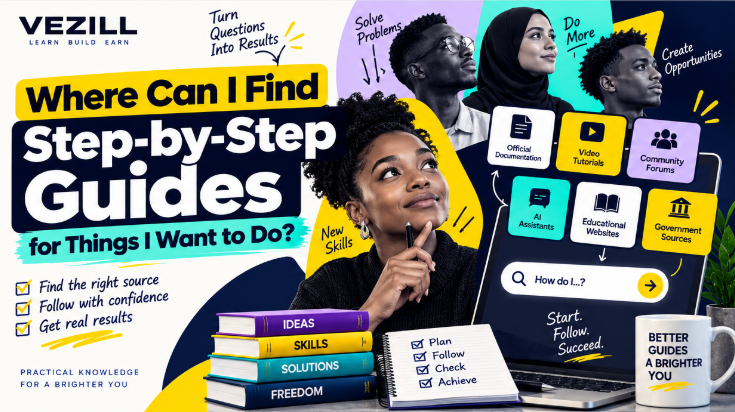
Learn where to find reliable step-by-step guides online, how to choose the right tutorial for your task, check whether it is current and follow instructions safely.
By Davie
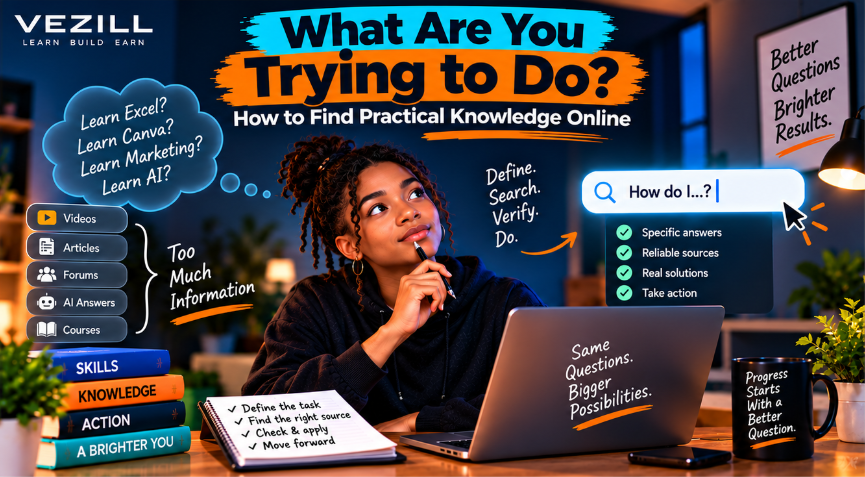
Stop searching broad topics and start finding the exact knowledge you need. Learn how to define your problem, search smarter, choose reliable sources, verify answers and take action.
By Davie
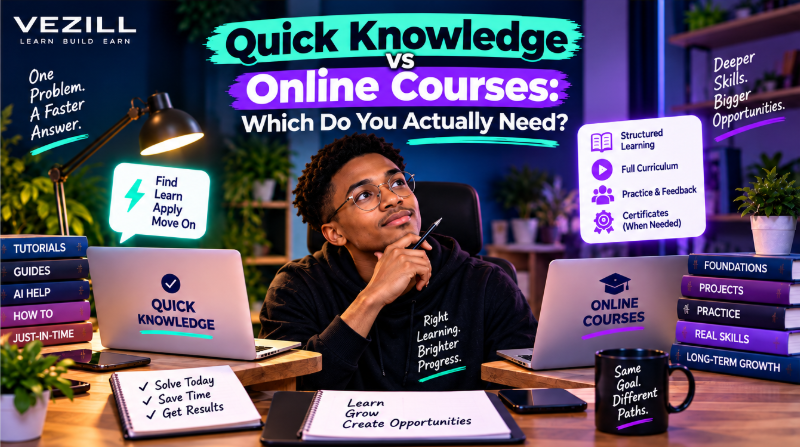
Quick Knowledge or an online course? Learn when a focused answer is enough, when structured learning is better, and how to choose the right learning depth for your goal.
By Davie

Learn how to turn one useful digital product into multiple income streams through premium versions, bundles, courses, licensing, services, subscriptions, B2B sales and complementary products.
By Davie
Get the updates, on newly released, popular & fast-moving MRR digital products
Up to Top
Comments All
Mary
@mary
When you’re new to digital products, the hardest part can be figuring out what to create. This gives some simple ideas that feel realistic for a beginner and don’t require making things overly complicated.
September 17,2026 At 05:33 PM