
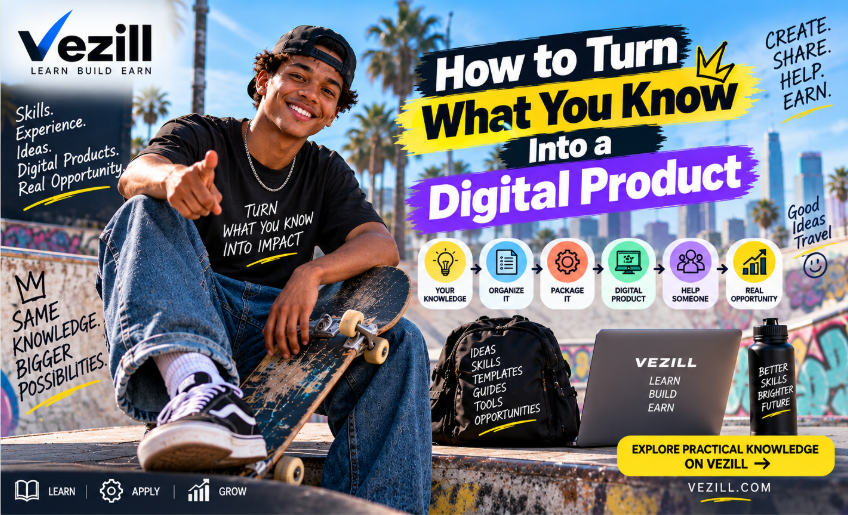
You may already know something useful enough to become a guide, template, checklist, spreadsheet, tutorial or toolkit. The challenge is extracting the useful part, organizing it around a real outcome and packaging it so someone else can apply it.
Daniel has run a small photography business for five years. He knows how to prepare for client shoots, choose the gear he actually needs, price smaller jobs, organize files, create shot lists, communicate with clients, back up photographs and deliver final work. He has also made enough mistakes to know what beginners usually forget.
Ask Daniel what digital product he could create, however, and he hesitates. “I know photography,” he says. That answer is too broad to become a useful product. Photography is a field. What Daniel possesses inside that field are smaller pieces of practical knowledge: a client preparation sequence, a file-backup system, a shot-list process, a pricing worksheet and a delivery checklist.
PEOPLE OFTEN POSSESS USEFUL KNOWLEDGE WITHOUT SEEING IT AS A PRODUCT. YOU MAY NOT NEED TO LEARN SOMETHING NEW TO CREATE YOUR FIRST DIGITAL PRODUCT.To turn what you know into a digital product, identify a specific result you know how to help someone achieve, extract the process you use to get that result, organize the knowledge into steps, examples, tools and checkpoints, choose the format that makes it easiest to apply, create the minimum useful version, test it with someone who resembles the intended user, improve it and package it for distribution.
WHAT YOU KNOW → WHO NEEDS IT → PROBLEM → RESULT → PROCESS → RESOURCE → DIGITAL PRODUCT KNOWLEDGE BECOMES A PRODUCT WHEN IT IS ORGANIZED FOR SOMEONE ELSE TO USE.Knowing something and packaging it for another person are different tasks. “I know Excel” is not a product. “I know how to build a monthly expense tracker for a small shop” is much closer. “I know graphic design” is broad. “I know how to create a basic brand kit for a new small business” points toward a usable resource. “I know catering” is a subject. “I know how to calculate food quantities for 50–200 guests” points toward a calculator, checklist or worksheet.
A SUBJECT IS NOT A PRODUCT.The transformation happens when you narrow broad knowledge into a specific situation, buyer, outcome and process. That is why this article is different from a general guide to selling digital products: the focus here is the conversion from knowledge to something another person can actually use.
 Turn broad knowledge into a useful outcome, process and digital resource.
Before choosing a file format, extract the raw material. The following six questions form an original VEZILL explanatory framework—not a scientific assessment of expertise.
1 · WHAT DO I KNOW?Skills, subjects, processes and experience I understand.
2 · WHAT DO I DO?Tasks I perform repeatedly.
3 · WHAT HAVE I SOLVED?Problems I can now handle more reliably.
4 · WHAT DO PEOPLE ASK ME?Questions that repeatedly come to me.
5 · WHAT DID I LEARN THE HARD WAY?Mistakes, shortcuts, warnings and lessons.
6 · WHAT TOOLS HAVE I CREATED?Templates, spreadsheets, prompts, formulas, scripts and checklists.
KNOW + DO + SOLVE + ANSWER + LEARN + TOOLS = PRODUCT RAW MATERIALVEZILL’s live article on identifying valuable knowledge you already have uses a similar practical lens: repeated problems, questions, mistakes, improved processes and explainable outcomes are often where useful knowledge becomes visible.
Do not begin with “What ebook can I write?” Begin with three questions: Who needs this? What are they trying to do? What is stopping them?
WHAT I KNOW + WHO NEEDS IT + WHAT THEY ARE TRYING TO DO = PRODUCT OPPORTUNITYExcel → small shop owner → wants to track monthly expenses → expense tracking spreadsheet.
Photography → beginner photographer → wants to prepare for a paid shoot → client shoot preparation checklist.
Catering → small caterer → needs accurate event quantities → catering quantity calculator.
Social media → salon owner → does not know what to post → 30-day salon content planner.
THE PRODUCT IS NOT “WHAT YOU KNOW.”Experienced people often skip steps because those steps have become automatic. They remember the beginning and the result, but the middle is compressed in habit. A beginner cannot use what has not been made explicit.
EXPERT THINKING: A → D → RESULTAsk yourself: What happens first? What happens second? What decisions do I make? What information do I need before starting? What mistakes do beginners make? What changes depending on the situation? What tool do I use? What tells me the task is complete? What do I check before finishing?
WHAT FEELS OBVIOUS TO THE EXPERIENCED PERSON IS OFTEN THE KNOWLEDGE THE BEGINNER ACTUALLY NEEDS.This is closely related to tacit knowledge: useful practical knowledge can be acquired through experience and remain partly unspoken until someone makes the effort to explain it. Research on practical intelligence has described tacit knowledge as procedural and practically useful, while also noting that it can often be made explicit with effort.
Research example: practical intelligence and tacit knowledge study.
Once you have a useful outcome, decompose it into nine parts. This is another original VEZILL editorial framework.
GOAL → INPUTS → STEPS → DECISIONS → TOOLS → EXAMPLES → MISTAKES → CHECKPOINTS → RESULTThe goal defines what completion means. Inputs list what the buyer needs before starting. Steps create the sequence. Decisions expose judgment points. Tools reduce friction. Examples make the abstract visible. Mistakes reveal failure modes. Checkpoints tell the buyer whether they are on track. The result closes the loop by showing what “done” looks like.
INFORMATION TELLS.Worked-example research is useful here because it shows why examples can help novice learners study a solution procedure rather than relying only on unguided problem solving. That does not mean every knowledge product needs formal instructional design, but it supports a practical principle: examples, sequence and visible solution steps can make difficult tasks easier to learn.
See the Educational Psychology Review overview of worked examples for the research background.
 Break one result into inputs, steps, decisions, tools, examples, mistakes and checks.
Creators often make a product worse by adding everything they know. A useful digital product does not need your entire career. It needs the knowledge the buyer requires for the promised outcome.
DOES THE BUYER NEED THIS TO ACHIEVE THE PROMISED RESULT?Optional depth can be placed in an appendix, reference section or bonus resource. The main path should remain clear. If a section exists only because you worked hard to learn it, but the buyer does not need it for this outcome, it may belong in a different product.
| If the buyer needs... | Useful format |
|---|---|
| A concept or explanation | Guide / concise ebook |
| A visible physical or software action | Video tutorial |
| A repeated procedure | Checklist / SOP |
| Numbers or calculations | Spreadsheet / calculator |
| Reusable structure | Template |
| A decision with branches | Decision tree / framework |
| Fast reference | Cheat sheet |
| Practice and reflection | Workbook |
| Connected resources | Toolkit |
| AI-assisted workflow | Prompt system + workflow guide |
| Broad capability | Course |
The correct format follows the job. If the user needs to calculate, give them something to calculate with. If they need to follow a routine, a checklist may beat a chapter. If they need to see a movement or interface, video may be better. If they need to build broader capability, a course can make sense.
 Choose between reading, watching, filling, calculating, following, deciding, practicing and reusing.
A resource becomes more practical when it does not stop at explanation. The buyer should be able to see what good execution looks like, take an action, check the result and recover when something differs from the example.
EXPLAIN → SHOW → DO → CHECK → ADJUSTExplain the concept the buyer needs. Show a worked example. Do means giving them a concrete action. Check means telling them what success looks like. Adjust means giving troubleshooting or decision guidance when the first attempt fails.
IF THE READER FINISHES YOUR PRODUCT KNOWING MORE BUT STILL DOES NOT KNOW WHAT TO DO NEXT, THE PRODUCT MAY STILL BE TOO INFORMATION-HEAVY.MUP means Minimum Useful Product. The goal is not to make the smallest possible file. The goal is to build the smallest resource that can genuinely deliver the promised usefulness.
Instead of a “Complete Guide to Freelancing,” a creator might start with a Freelance Client Discovery Call Kit containing a question sheet, meeting structure, client-notes template, follow-up email template and red-flag checklist. The narrower product may be more useful because every part points toward the same job.
SMALLER CAN BE MORE VALUABLE WHEN IT REMOVES EVERYTHING THE BUYER DOES NOT NEED.This also fits VEZILL’s current distinction between Quick Knowledge and broader courses: one task can often be addressed with focused knowledge, while broader professional capability requires deeper learning and practice.
Capture the real sequence rather than the sequence you think you use.
2. Explain it to a complete beginnerNotice every term or step that requires extra explanation.
3. List every beginner questionRecurring questions reveal hidden knowledge gaps.
4. Document your last successful projectReconstruct what actually happened from start to finish.
5. Document your last failureIdentify the missed signal, wrong assumption or weak step.
6. List every decision you madeDecisions often contain the judgment that makes a guide useful.
7. List every tool you usedA spreadsheet, form, prompt, checklist or formula may become part of the product.
8. Write your final checksCompletion criteria turn vague advice into something testable.
9. Find the step beginners skipThe missing step may be the most valuable part of the resource.
10. Ask what you wish you knew earlierThis often reveals a useful warning, shortcut or framework.
Notice the middle column: the hidden useful knowledge is more specific than the broad subject. That is where product ideas become practical.
| What You Know | Hidden Useful Knowledge | Who Needs It | Product Idea | Best Format |
|---|---|---|---|---|
| Excel | The sequence for building a clean monthly expense tracker | Small shop owner | Monthly Expense Tracker + Setup Guide | Spreadsheet + guide |
| Bookkeeping | A repeatable weekly reconciliation routine | Freelancer | Weekly Bookkeeping Checklist | Checklist |
| Catering | Food quantity estimates and preparation order | Small caterer | 50–200 Guest Catering Calculator | Spreadsheet |
| Cooking | How to plan meals without wasting groceries | Person living alone | 7-Day Meal Planning System | Planner |
| Baking | How to diagnose common cake texture problems | Home baker | Cake Troubleshooting Guide | Guide |
| Photography | Client preparation, shot list and backup routine | Beginner photographer | Paid Shoot Preparation Kit | Toolkit |
| Video editing | How to remove pacing problems in short videos | Beginner creator | Short-Form Editing Checklist | Checklist |
| Graphic design | How to build a consistent starter brand kit | Small business owner | Starter Brand Kit Template | Templates |
| Social media | How to turn services into 30 days of posts | Salon owner | 30-Day Salon Content Planner | Planner |
| SEO | A repeatable small-site audit sequence | Small website owner | Small-Site SEO Audit Checklist | Checklist |
| Sales | Questions that reveal fit before pitching | Freelancer | Client Discovery Call Sheet | Worksheet |
| Customer service | When to answer, escalate or refund | Small business | Customer Service Decision SOP | SOP |
| Project management | How to expose dependencies before work starts | New PM | Project Dependency Tracker | Spreadsheet |
| Construction | How to record daily site activity consistently | Site administrator | Site Daily Report Template | Template |
| Plumbing | A safe sequence for documenting a simple leak | Apprentice | Leak Inspection Flowchart | Guide |
| Carpentry | How to calculate and verify cut lists | Beginner carpenter | Cut List Planning Sheet | Worksheet |
| Mechanics | Which symptoms to log before diagnosis | Car owner | Vehicle Symptom Log | Template |
| Tailoring | Measurement sequence that reduces omissions | Beginner tailor | Garment Measurement Sheet | Template |
| Hair & beauty | How to capture client preferences consistently | Salon assistant | Client Service Record Card | Template |
| Fitness | How to track progression and recovery | Beginner | Workout Progress Tracker | Spreadsheet |
| Teaching | How to convert one learning goal into a lesson | New teacher | Lesson Planning Template | Template |
| Studying | How to organize spaced revision across a week | Student | Weekly Revision Planner | Planner |
| Research | How to compare sources without losing notes | University student | Literature Review Matrix | Spreadsheet |
| Data analysis | Checks to run before trusting a result | Junior analyst | Data Analysis QA Checklist | Checklist |
| Power BI | How to define a measure before writing DAX | Beginner analyst | DAX Measure Planning Sheet | Worksheet |
| Python | A repeatable debugging sequence | Beginner coder | Python Debugging Checklist | Checklist |
| WordPress | What to back up and test before updates | Site owner | Pre-Update Safety Checklist | Checklist |
| Cybersecurity | Basic controls a small business should review | Small business owner | Security Hygiene Checklist | Checklist |
| AI prompting | How to convert a vague task into context, constraints and output | Office worker | Task-to-Prompt Framework | Prompt template |
| AI workflows | How to map trigger, data, model, action and verification | Small team | AI Workflow Mapping Sheet | Worksheet |
| Inventory | How to count, reconcile and investigate variance | Retail shop | Stock Count & Variance Sheet | Spreadsheet |
| Restaurant management | How to calculate food cost per dish | Restaurant owner | Food Cost Calculator | Spreadsheet |
| Hospitality | A repeatable guest check-in sequence | Guesthouse owner | Guest Check-In SOP | SOP |
| Farming | How to record planting, inputs, weather and yield | Small farmer | Crop Record-Keeping Sheet | Spreadsheet |
| Logistics | Dispatch checks that reduce missing details | Small distributor | Daily Dispatch Checklist | Checklist |
| Importing | Questions to compare suppliers before committing | First-time importer | Supplier Comparison Scorecard | Spreadsheet |
| Budgeting | How to separate fixed, variable and irregular spending | Young professional | Monthly Budget Dashboard | Spreadsheet |
| Wedding planning | How to track vendors, deposits and due dates | Couple | Wedding Vendor Tracker | Spreadsheet |
| Event planning | How to coordinate timing on the event day | First-time planner | Event Run-of-Show Template | Template |
| Freelancing | A repeatable onboarding sequence | New freelancer | Client Onboarding Kit | Toolkit |
| Remote work | How to track roles, stages and follow-ups | Job seeker | Remote Job Application Tracker | Spreadsheet |
| Job applications | What to customize before sending each application | Graduate | Application Quality Checklist | Checklist |
| CV writing | How to convert responsibilities into evidence-based bullet points | Job seeker | CV Bullet Builder Workbook | Workbook |
| Interviews | How to prepare examples for common competency questions | Graduate | Interview Story Bank | Workbook |
| Small business | How to document recurring tasks | New owner | Simple SOP Starter Kit | Toolkit |
| Entrepreneurship | How to narrow a broad idea into one testable problem | First-time founder | Problem Validation Workbook | Workbook |
| Personal organization | How to turn recurring responsibilities into a weekly system | Busy professional | Weekly Life Admin Planner | Planner |
| Home management | How to schedule recurring maintenance and supplies | Household | Home Maintenance Checklist | Checklist |
| Marketing | How to move from goal to audience to offer to channel | New marketer | Campaign Planning Canvas | Worksheet |
| Ecommerce | How to check product pages before publishing | New online seller | Product Page QA Checklist | Checklist |
Yes—especially as an interviewer and organizer. AI can ask questions, extract ideas from notes, organize transcripts, identify repeated themes, create a first outline, turn a process into a checklist, rewrite explanations, generate practice questions, suggest examples, format content, proofread, translate and draft FAQs.
USE AI TO EXTRACT AND ORGANIZE WHAT YOU KNOW — NOT TO PRETEND YOU KNOW WHAT YOU DON'T.A useful prompt is: “I have five years of experience doing [TASK]. Interview me one question at a time to extract the process I use, including steps, decisions, mistakes, tools, exceptions and checks. Do not invent answers. After the interview, organize only what I told you into a potential practical digital product.”
VEZILL’s article on creating and selling with AI makes the same important distinction: AI can speed production, but the creator still needs to verify facts, own or license what they use and avoid pretending generated content is lived experience.
Give the resource to someone who resembles the intended buyer. Do not stand beside them explaining every step. Observe where they stop, what they misunderstand, what they skip, what question they ask, what tool appears to be missing and whether they can reach the promised result.
IF THE PRODUCT ONLY WORKS WHEN YOU ARE STANDING NEXT TO THE BUYER EXPLAINING IT, MORE KNOWLEDGE MAY STILL BE TRAPPED IN YOUR HEAD.Testing can expose missing assumptions, jargon, weak examples and unclear checkpoints. It can also reveal that the format itself is wrong. A buyer may not need another page of explanation; they may need a one-page worksheet.
Score each item from 1 to 5. This is an editorial self-assessment tool, not a scientifically validated measurement.
SpecificityScore 1–5
RelevanceScore 1–5
ClarityScore 1–5
SequenceScore 1–5
ActionabilityScore 1–5
ExamplesScore 1–5
ToolsScore 1–5
CheckpointsScore 1–5
LimitationsScore 1–5
ResultScore 1–5
41–50 = STRONG FOUNDATION · 31–40 = REFINE · 21–30 = TOO VAGUE / INCOMPLETE · 10–20 = RETURN TO EXTRACTIONDo not chase a high score mechanically. Use the test to locate weakness. A product can be beautifully designed and still score poorly on actionability. Another can be simple but highly useful because the problem, sequence and result are clear.
Catering experience might produce a food-quantity calculator, event preparation checklist, quotation template, food-cost spreadsheet, beginner pricing guide, supplier comparison sheet and event catering toolkit.
Photography experience might produce a client shoot checklist, shot-list template, backup SOP, client questionnaire, pricing worksheet and delivery checklist.
ONE AREA OF EXPERIENCE CAN CONTAIN MANY SMALL KNOWLEDGE PRODUCTS.Do not artificially split one necessary solution into multiple weak products merely to increase the number of listings. Each product should stand on its own or clearly belong inside a transparent bundle.
Useful product ideas can emerge from local workflows: an M-PESA reconciliation sheet for small businesses, a small-shop inventory tracker, event catering quantity calculator, supplier comparison sheet, job-application tracker, farm record-keeping template, freelance client-onboarding kit, church-event planning checklist, local ecommerce order tracker or restaurant food-cost calculator.
OFFICIAL SOURCE FOR THE RULES.If a product touches tax, permits, customs, finance, health or another regulated area, current official information should establish the rules. A practical resource can then help the user organize, understand or apply those rules without pretending to replace the authority responsible for them.
The principle is global: local experience becomes more valuable when it adds context that generic information misses.
You can package your own experience, original explanations, processes, templates, frameworks, examples, checklists and tools. But you should not copy books, steal templates, resell copyrighted PDFs, copy paid courses, use someone else’s creative work without permission, invent qualifications, fabricate results or present AI-generated material as lived experience.
PACKAGE WHAT YOU KNOW — NOT WHAT YOU COPIED.The U.S. Copyright Office explains that copyright protects original expression but does not protect ideas, procedures, processes, systems or methods themselves. The specific text, images, illustrations and other original expression can still be protected. Rules vary by jurisdiction, so creators should understand the rights that apply where they operate. Read the Copyright Office overview.
VEZILL’s About page describes the platform as a digital knowledge marketplace connecting people who know how with people who need to know how. That makes the knowledge-to-product transformation central to the platform’s role.
KNOWLEDGE IN SOMEONE'S HEAD → STRUCTURED PRACTICAL RESOURCE → DIGITAL PRODUCT → MARKETPLACE → PERSON TRYING TO DO SOMETHING → APPLICATION → RESULTFor creators, the pathway can be understood as KNOW → PACKAGE → SHARE. For buyers, it becomes FIND → ACCESS → LEARN → APPLY → RESULT.
VEZILL’s live seller page explains how creators can upload and sell digital products, while the Products page is the buyer-facing discovery layer. The FAQ provides current platform information.
KNOWLEDGE IS THE VALUE.Here is the full transformation in one sequence:
1Inventory what you know.
2Find a specific useful outcome.
3Identify who needs it.
4Define the problem.
5Extract your process.
6Expose hidden steps and decisions.
7Remove irrelevant knowledge.
8Choose the best format.
9Build the Minimum Useful Product.
10Add examples, tools and checkpoints.
11Verify accuracy and rights.
12Test with a target user.
13Improve from feedback.
14Package the resource.
15Publish it.
16Learn from real usage.
KNOW → EXTRACT → FOCUS → STRUCTURE → FORMAT → BUILD → TEST → PACKAGE → PUBLISH → IMPROVE Move from what you know to a tested, packaged and improvable practical resource.
Once you know the outcome and format, sketch the architecture before spending time on cover design, branding or sales copy. Product architecture means deciding what the buyer sees first, what they need before acting, where examples belong, when tools appear and how the product ends. This matters because a resource can contain good information and still feel confusing if the sequence is weak.
A simple architecture for a task-focused guide might be: define the outcome, explain prerequisites, show the process, demonstrate one complete example, give the reusable tool, explain common mistakes, add a troubleshooting section and finish with a completion checklist. A spreadsheet product may need a different order: start-here sheet, instructions, input area, calculated output, example data and a notes section explaining assumptions.
STRUCTURE THE BUYER'S JOURNEY BEFORE YOU DECORATE THE FILE.This also helps prevent a common mistake: designing a beautiful cover for a product whose core workflow is still unclear. Visual quality matters, but usefulness begins with the logic of the product. The buyer should always know where to start, what to do next, and how to know whether they are finished.
Some of the most valuable parts of your knowledge are not facts but decisions. You may know when to choose option A instead of B, when to stop a process, when to ask for more information, or which warning sign means the normal workflow should change. If those decisions stay buried in prose, the buyer may miss them.
Convert recurring decisions into decision trees, scorecards, yes/no checklists, comparison sheets or simple rules. For example, a photographer could turn “when should I reschedule an outdoor shoot?” into a checklist covering weather, light, client flexibility and equipment risk. A freelancer could turn “is this client a fit?” into a scorecard. A caterer could turn “how much buffer food should I prepare?” into a calculator with clearly stated assumptions.
WHEN A READER MUST MAKE A REPEATED DECISION, TURN THE DECISION INTO A REUSABLE TOOL.This is one of the cleanest ways to move beyond generic information. A paragraph can explain. A tool can help the buyer execute the explanation repeatedly.
Beginners often struggle because creators mix essential instructions with background detail. Separate your product into a core path and optional depth. The core path contains what the user needs to achieve the promised result. Optional depth can contain advanced explanations, theory, edge cases, extra examples or references.
For example, a stock-tracking spreadsheet may need only four core actions: enter opening stock, record incoming stock, record outgoing stock and review variance. Advanced notes about forecasting or reorder-point formulas may be useful, but they should not block the beginner from completing the basic task. This separation makes the product feel lighter without making it shallow.
CORE PATH FIRST. OPTIONAL DEPTH SECOND.The result is a resource that respects both kinds of users: the person who needs to act now and the person who wants to understand more deeply.
Look for repeated tasks, solved problems, questions people ask you, mistakes you have learned from, tools you created and outcomes you can explain clearly.
Choose one specific result, extract the process you use, expose the hidden steps, add examples and tools, choose the best format, test it with a target user and improve it.
You do not need to know everything about a field, but you should teach within the boundaries of what you genuinely know and avoid inventing qualifications, experience or results.
The easiest useful format depends on the task. A checklist, template or spreadsheet can be more appropriate than a long ebook when the buyer needs a repeatable process or tool.
Knowledge is more likely to be useful when it helps a specific person solve a recurring problem, avoid a mistake, save time, understand a process or achieve a defined result.
Yes. AI can interview you, organize notes, draft structure and improve clarity, but it should not fabricate experience, evidence, qualifications or results.
Choose based on what the buyer needs to do: read for explanation, fill for structure, calculate for numbers, follow for sequence, or reuse for repeated work.
Include what the buyer needs to achieve the promised result. Remove background information that does not help them understand, act, decide or verify.
Yes. One knowledge area can contain several distinct product opportunities, provided each one solves a real problem and is not artificially split into low-value fragments.
Give it to someone similar to the intended buyer and observe where they stop, misunderstand, skip steps or need extra help. Revise based on those gaps.
Yes. A large audience can help distribution, but search, referrals, niche communities, partnerships, marketplaces and useful content can also connect a product with buyers.
You can use your own website, ecommerce tools or knowledge marketplaces. VEZILL provides a marketplace where creators can upload digital products and buyers can discover practical resources.
Daniel began with the vague belief that he “knows photography.” After extracting the useful parts, he can see specific product opportunities: a client preparation checklist, shot-list template, pricing worksheet, file-backup SOP, delivery checklist and beginner shoot-preparation kit.
He does not need to put everything he has learned into one enormous product. He needs to find one useful part of what he knows and organize it so another person can apply it.
YOU DO NOT HAVE TO PUT EVERYTHING YOU KNOW INTO ONE PRODUCT.The internet does not need more information for the sake of information. It needs useful knowledge that helps people do something.
VEZILLStart with one useful outcome. Extract the process. Package it in the format that helps someone apply it. Then let real use teach you how to improve it.
EXPLORE VEZILL → VEZILL — Practical Knowledge, Packaged for Action.Discover more articles you might be interested in
how to create your first knowledge product in one weekend
By Davie
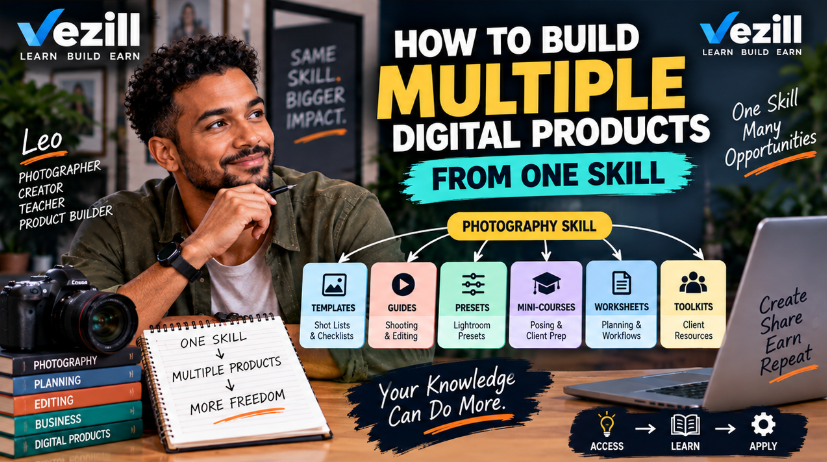
how to build multiple digital products from one skill
By Davie
how to find problems people will pay you to solve
By Davie
How to turn a hobby into a digital product
By Davie
Get the updates, on newly released, popular & fast-moving MRR digital products
Up to Top
Comments All
Milly
@milly
Sometimes we forget that the things we already know can actually be valuable to other people. Turning that knowledge into a digital product makes so much sense, and it’s a simple way to start with what you already have.
September 19,2026 At 04:56 PM