
David
Joined - July 2026

You don't need to be a traditional software engineer to start building useful digital solutions.
Businesses, startups, creators and professionals need websites, landing pages, internal tools, automated workflows, client portals, MVPs and better systems.
The real opportunity isn't simply learning another no-code platform.
It's learning how to turn those skills into solutions people actually need.
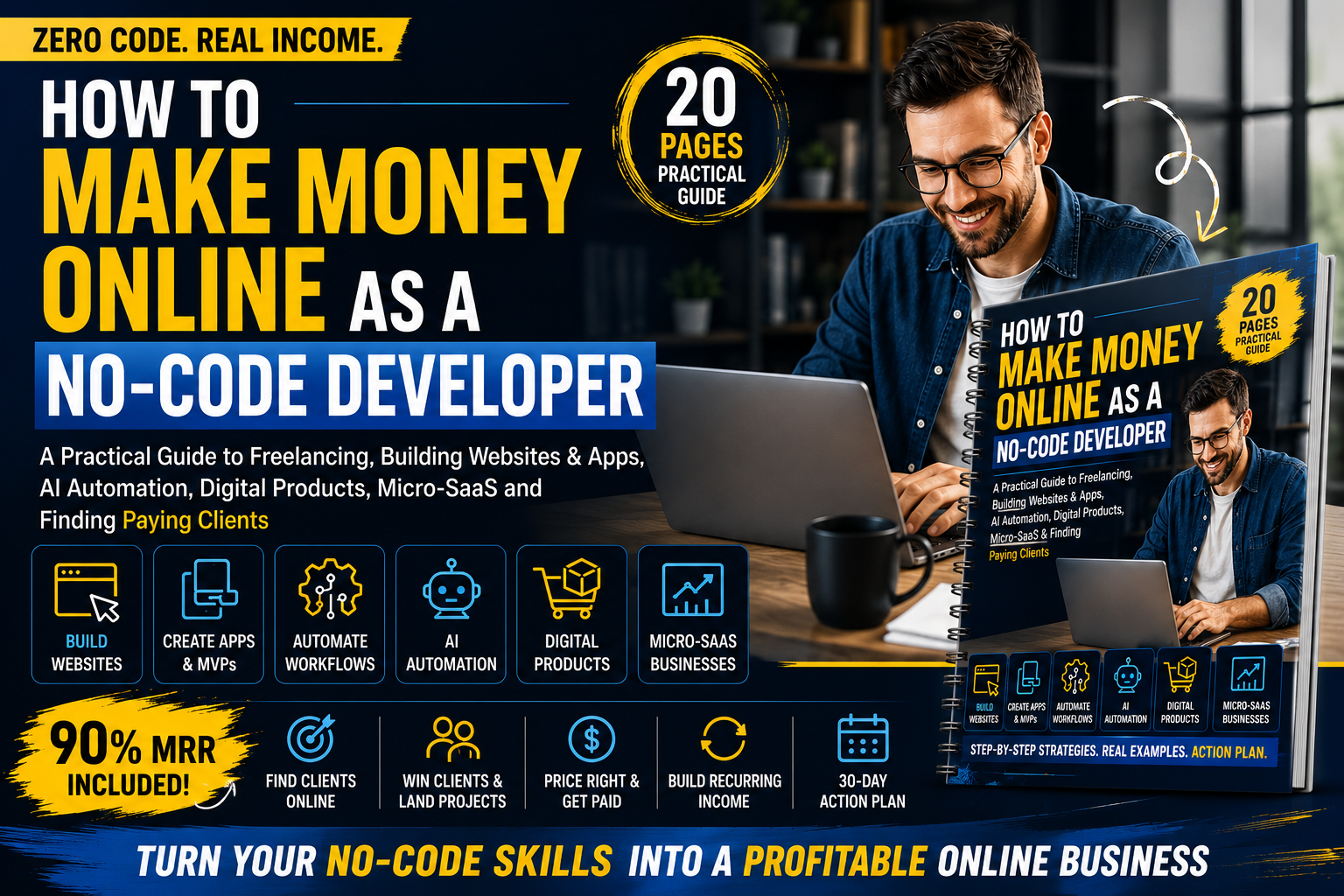
How to Make Money Online as a No-Code Developer is a practical 20-page guide showing you how to move from learning no-code tools to creating clear offers, building portfolio proof, finding potential clients and exploring multiple online income paths.
Whether you're learning Bubble, Webflow, Framer, Zapier, Make, Airtable or other no-code and automation tools, this guide focuses on one important question:
How can I turn what I know into something useful enough to sell?
This guide walks you through the practical business side of becoming a no-code developer, including:
How no-code developers can make money online
Freelance no-code services you can offer
How to build websites and landing pages for clients
How no-code app and MVP development works as a service
How to sell workflow and business automation
How to package AI automation services
How to turn your no-code skills into a specific offer
How to choose a niche instead of trying to serve everyone
How to build a portfolio without previous clients
Where to look for no-code clients and opportunities
How to approach your first potential client
Different ways to price no-code projects
How one-time projects can develop into recurring services
How to create and sell no-code digital products
How to approach building a Micro-SaaS
No-code business ideas and projects you should avoid
Important no-code limitations beginners often overlook
A practical 30-Day No-Code Income Plan
A ready-to-use No-Code Money Plan worksheet
There isn't only one path.
The guide breaks no-code income opportunities into several practical models:
Build websites, landing pages, applications, client portals, internal tools and other solutions for clients.
Create professional websites and landing pages for businesses, startups, professionals and creators.
Help founders and organizations turn validated ideas into working prototypes and simple applications.
Connect tools and reduce repetitive manual work through automated business processes.
Build carefully designed workflows where AI assists with appropriate tasks such as classification, summarization, document processing or information handling.
Use your development, automation and product-building skills to pursue relevant remote roles and contract opportunities.
Maintain websites, workflows, databases, automations and systems that genuinely require ongoing support.
Create templates, business systems, workflow packs, trackers and other reusable no-code products.
Build a focused software product that solves a narrow recurring problem for a particular customer group.
One of the biggest lessons in this guide is simple:
Instead of saying:
“I know Zapier.”
Learn to communicate:
“I help service businesses automatically capture website leads, organize them in their CRM and create follow-up tasks.”
Instead of:
“I'm a Bubble developer.”
Create an offer such as:
“I help early-stage founders turn validated product ideas into testable web MVPs.”
Instead of:
“I build with Webflow.”
Position the outcome:
“I build professional, conversion-focused websites for small service businesses.”
The guide helps you move through:
SKILL → PROBLEM → SOLUTION → OFFER → PROOF → CLIENT → DELIVERY → REPEAT
Not sure what to offer?
The guide explores practical service categories including:
Website & Landing Page Development
Build professional digital experiences for businesses and professionals.
No-Code Apps & MVPs
Turn validated concepts into functional applications and prototypes.
Workflow Automation
Connect business tools and reduce repetitive administrative tasks.
CRM & Lead Automation
Help businesses capture, organize and follow up with leads.
Internal Business Tools
Turn inefficient spreadsheet-based processes into simpler operational systems where appropriate.
Client Portals
Create dedicated interfaces for customers, clients or team members.
AI-Assisted Workflows
Integrate AI into useful processes while considering accuracy, privacy and human oversight.
Maintenance & Support
Provide ongoing technical help for systems that genuinely require continued management.
You don't need to pretend you've worked with clients you haven't.
The guide shows you how to build three strong sample portfolio projects:
Demonstrate your ability to understand a business need and turn it into a polished web experience.
Build a realistic workflow such as:
FORM → CRM → ASSIGN LEAD → FOLLOW-UP → STATUS TRACKING
Create a small working application around a realistic business process.
You'll also learn how to turn each project into a case study showing:
PROBLEM → USER → WORKFLOW → SOLUTION → BUILD → EXPECTED IMPROVEMENT
Your portfolio should show more than attractive screens.
It should demonstrate how you solve problems.
Learning more tools won't automatically bring customers.
The guide helps you think systematically about finding opportunities through:
Freelance marketplaces
Professional networks
Startup and founder communities
Agencies
Platform-specific communities
Referrals
Local businesses
Direct outreach
Relevant remote opportunities
You'll learn to use a simple pipeline:
Instead of sending the same generic message everywhere, you'll learn to connect a specific offer with a relevant customer.
There is no universal price for every no-code project.
The guide introduces several pricing models:
Hourly
Fixed project
Packages
Milestone-based
Monthly maintenance
Automation retainers
Consulting
Digital-product pricing
More importantly, you'll learn what should influence your quote:
Scope + Complexity + Screens + Workflows + Integrations + APIs + Testing + Revisions + Support + Platform Costs
You'll also learn why defining what's included and excluded before beginning a project matters.
AI has expanded what builders can prototype and automate—but adding AI doesn't automatically create business value.
This guide teaches a more practical approach:
PROBLEM
↓
WORKFLOW
↓
AI TASK
↓
HUMAN CHECK
↓
ACTION
You'll also learn to consider:
AI errors and hallucinations
Privacy
Sensitive information
API costs
Failed automations
Human oversight
Security
The objective isn't to sell “AI” because it's popular.
It's to use AI where it meaningfully improves a workflow.
You don't have to depend entirely on client work.
Your skills can also become reusable digital products such as:
Website templates
Landing-page templates
App starter templates
CRM systems
Client trackers
Business systems
Automation templates
Client onboarding systems
Workflow packs
Calculators
Directories
Educational resources
The framework is:
Instead of creating a generic “business template,” build something clearly useful to a specific customer.
The guide also introduces Micro-SaaS without pretending every beginner needs to build the next billion-dollar startup.
You'll learn a simpler approach:
NICHE → PAINFUL REPEATED PROBLEM → MANUAL TEST → SMALL MVP → FIRST USERS → FEEDBACK → IMPROVE
The key lesson:
Find the problem first.
Then decide whether software is actually the right solution.
The final section turns everything into action.
Choose your income path, niche, problem and offer.
Create one strong portfolio project and document it.
Publish your work, identify prospects and find relevant opportunities.
Pitch, apply, follow up, collect feedback and improve.
This is not an income guarantee.
The objective is to build a practical system that can lead toward your first real opportunity.
How to Make Money Online as a No-Code Developer is ideal for:
Beginner no-code developers
Students
Freelancers
Web designers
Automation beginners
Bubble developers
Webflow and Framer builders
Zapier and Make users
Aspiring AI automation freelancers
Startup builders
Digital-product creators
Professionals interested in Micro-SaaS
People looking for practical online technology opportunities
You don't need to master every platform.
You need enough skill to reliably solve a specific problem.
This digital guide also comes with 90% Master Resell Rights (MRR), subject to the supplied license and applicable marketplace terms.
That means eligible buyers can use the guide themselves and resell the digital product while retaining up to 90% of eligible resale revenue, according to the applicable MRR terms.
Master Resell Rights do not mean unrestricted ownership or unlimited intellectual-property rights. Resellers must follow the license conditions supplied with the product.
This gives you two possible uses:
LEARN FROM IT
Use the guide to develop your own no-code income strategy.
RESELL IT
Use your eligible 90% MRR rights to resell the guide under the applicable terms.
Product: How to Make Money Online as a No-Code Developer
Format: Digital PDF Guide
Length: 20 concise, practical pages
Includes: Frameworks, examples, checklists, portfolio strategy, client acquisition guidance, Micro-SaaS framework, 30-day plan and worksheet
Rights: 90% Master Resell Rights, subject to applicable terms
Delivery: Digital product — no physical item is shipped
You can spend months watching tutorials and experimenting with new tools.
Or you can start asking a better question:
What useful problem can I solve with the skills I already have?
Then:
Your no-code skills become more valuable when they help someone solve a real problem.
Get the updates, on newly released, popular & fast-moving MRR digital products
Up to Top
Comments