
Learn how to turn your knowledge, skills, recipes, processes, templates, spreadsheets or AI workflows into digital products and start selling them globally on VEZILL.
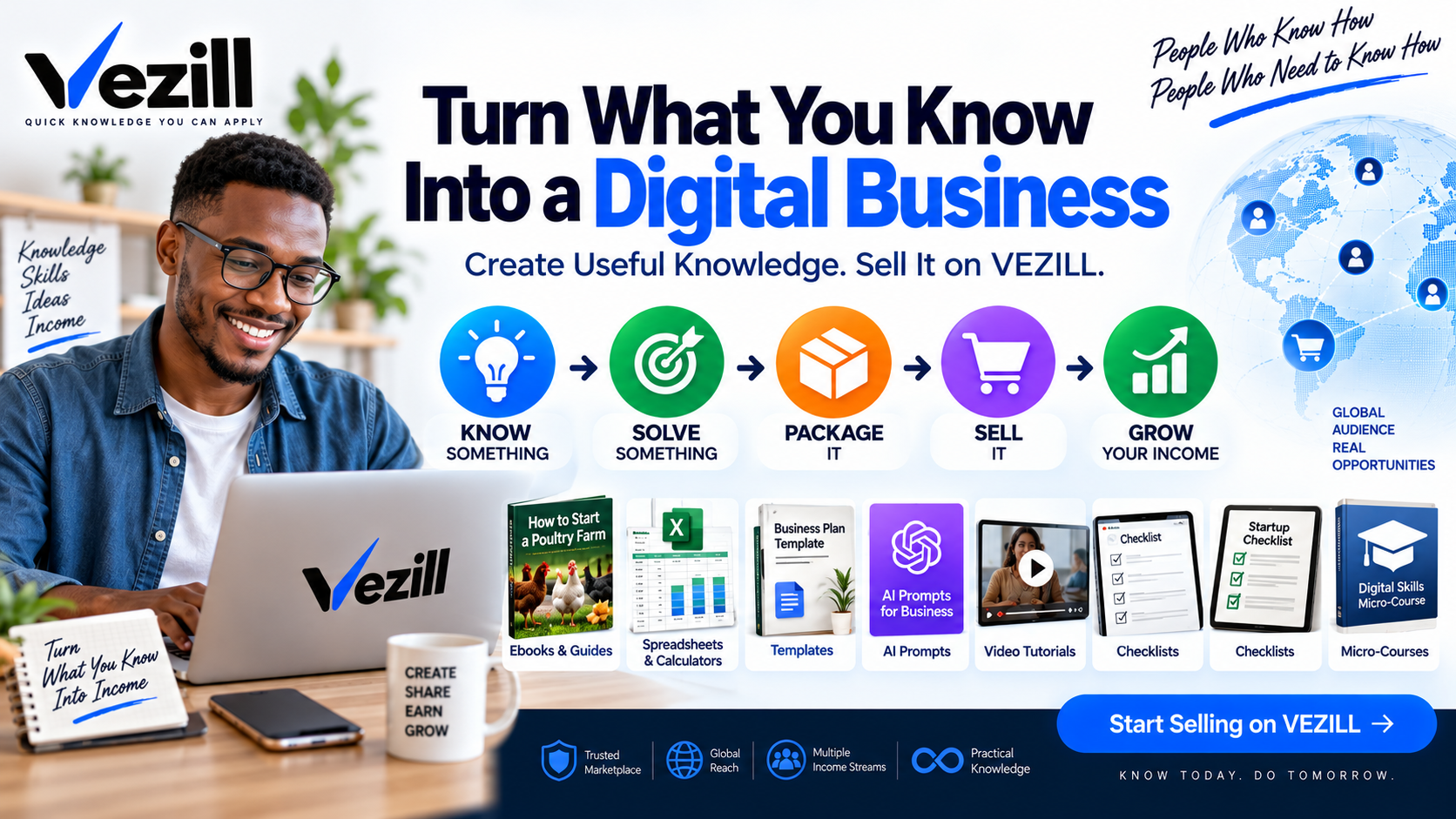
You may already know something that another person is searching for.
Maybe you know:
how to make a particular product
a useful recipe
how to grow a particular crop
how to calculate something
how to perform a business process
how to use Excel to solve a problem
how to design something
how to build something with AI
a useful formula or method
how to fix a particular problem
how to use a specific tool
a procedure that saves time
a set of AI prompts that produces a useful result
That knowledge can potentially become a digital product.
VEZILL connects people who know how with people who need to know how.
You can package useful knowledge into a guide, spreadsheet, template, AI prompt system, video tutorial, checklist, micro-course or toolkit and make it available to people looking for that solution.
A VEZILL digital business account gives you a place to publish and sell digital knowledge products.
Instead of thinking only about opening an “online store,” think of your VEZILL account as your digital knowledge business.
You bring the knowledge.
VEZILL provides the marketplace where that knowledge can be structured and packaged as a digital product and discovered by potential buyers.
Your product could be:
A PDF Guide — explain a useful process step by step.
A Spreadsheet — turn your formulas and calculations into a practical tool.
A Template — give someone a ready-made starting point.
An AI Prompt System — package tested prompts around a specific result.
A Recipe or Formula Guide — document ingredients, measurements and procedures.
A Checklist — turn a process into clear actionable steps.
A Video Tutorial — demonstrate exactly how something is done.
A Micro-Course — teach one focused skill or outcome.
A Toolkit — combine several resources into one practical solution.
The important thing isn't the file format.
The model is simple:
Start with something useful you genuinely know.
Identify the problem that knowledge can help another person solve.
Turn your knowledge into the most useful digital format.
Create your VEZILL account and list your knowledge product.
Make the solution available to people searching for it.
Use feedback and experience to improve your product and create related solutions.
Don't limit yourself to thinking about ebooks. Think about problems you know how to solve.
You might create:
Tomato Production Guide + Planting Calendar + Costing Spreadsheet
Rather than trying to teach the whole field of agriculture, solve one specific farming problem.
You could package:
Commercial Doughnut Recipe + Measurements + Production Process + Cost Calculator
Create:
Small Business Cash-Flow Spreadsheet + Setup Guide
Package:
AI Prompt Workflow for Building an Ecommerce Application
The product could contain prompts for requirements, database design, frontend development, debugging and testing.
Create:
Professional Social Media Templates + Design Guide
Turn a process you already use into:
Inventory Management Template + Step-by-Step Guide
Package:
YouTube Script Framework + AI Prompt System
Turn a repeatable professional process into:
Assessment Framework + Checklist + Templates
The question to ask yourself is:
This is one of the biggest differences in the VEZILL Quick Knowledge model.
You don't necessarily need to create:
a 200-page ebook
a 30-module course
hours of video
an entire training program
Sometimes the buyer only needs one specific quick solution.
For example:
Instead of:
“Complete Excel Course”
create:
“Small Business Inventory Management Excel Template + 20-Minute Setup Tutorial.”
Instead of:
“Complete AI Masterclass”
create:
“AI Prompt Workflow for Creating Social Media Content.”
Instead of:
“Complete Baking Course”
create:
“Commercial Bread Recipe + Production Process + Costing Sheet.”
Start with the smallest useful solution that genuinely helps the buyer achieve the intended outcome.
AI has made it easier to turn what you know into professional digital resources.
The important principle is:
AI can help you:
organize your ideas
structure a guide
simplify explanations
develop checklists
identify questions beginners may have
create tables
prepare tutorial scripts
improve grammar
organize FAQs
create product descriptions
turn your knowledge into multiple formats
For example, suppose you have been baking professionally for years.
You can write or dictate everything you know about producing a particular product.
Then use AI to help organize that information into:
Ingredients → Measurements → Equipment → Preparation → Process → Common Mistakes → Troubleshooting → Costing
You remain responsible for checking the information.
AI should help package your knowledge—not replace your knowledge.
The current account process is straightforward: create an account, complete your profile and payment information, upload your product, then share it with potential customers.
Here's how to approach those steps under the new VEZILL model.
Go to VEZILL and select Start Selling, Login/Sign Up, or the applicable registration option.
Enter your details and use an email address you can access.
Your account becomes the starting point for your digital knowledge business.
Complete your profile before you begin selling.
Don't treat this as a formality.
People buying knowledge need to know:
Who is teaching me this?
Your creator profile should explain:
who you are
what you know
your relevant experience
what subjects you create knowledge about
For example:
“I have operated a commercial bakery for seven years and create practical production guides for small bakeries.”
is much more valuable than:
“Digital entrepreneur.”
Your experience helps buyers evaluate whether your knowledge is relevant to them.
Also complete the available payment/payout information so your account is ready to receive eligible sales proceeds. The current VEZILL page indicates that payout information is configured through the user's profile/e-wallet area.
Before uploading anything, answer three questions:
Example:
I know how to calculate the true production cost of baked products.
Small bakeries and people starting baking businesses.
Bakery Costing Spreadsheet + Setup Guide
Now you have a product idea.
Don't start with:
“I want to create an ebook.”
Start with:
Then choose the appropriate format.
Choose the format that best solves the problem.
If people need instructions:
Create a PDF guide.
If they need calculations:
Create a spreadsheet.
If they need something ready-made:
Create a template.
If they need to see the process:
Create a video tutorial.
If they need repeatable AI assistance:
Create a tested prompt system.
If the problem requires several resources:
Create a toolkit.
VEZILL currently supports digital files including documents/PDFs, spreadsheets, presentations, video, audio, images, software and zipped files.
Before uploading, ask:
Can someone actually use this?
A strong knowledge product should ideally contain some combination of:
Instructions + Examples + Tools + Templates + Measurements + Screenshots + Calculations + Demonstrations + Troubleshooting
For example:
Don't only write:
“How to Start Poultry Farming.”
Consider creating:
step-by-step startup guide
equipment checklist
production calendar
costing spreadsheet
record sheets
practical troubleshooting information
You are no longer selling information.
You are selling a practical knowledge solution.
Before publishing:
check factual information
test formulas
verify calculations
correct mistakes
check links
proofread instructions
test spreadsheets
test AI prompts
confirm screenshots
disclose important limitations
include appropriate safety information
make sure you own or have permission to distribute the content
This is especially important for agriculture, health, finance, chemicals, cosmetics, engineering and other safety-sensitive or regulated areas.
AI can help you edit.
It should not be your final fact-checker.
Once your product is ready, upload it through your VEZILL account.
The current VEZILL workflow asks creators to provide the product file and suitable promotional/preview material; supported document formats currently include PDF, Word, PowerPoint and spreadsheets, while video, audio, software and zipped files are also supported.
Give your product a title that explains the result.
Poultry Ebook
Beginner Poultry Farming Guide
500-Bird Broiler Startup Guide + Cost Calculator + Record Templates
Specificity helps buyers understand what they are purchasing.
Your product page should quickly answer:
Add clear screenshots or previews where appropriate.
Do not rely on exaggerated claims.
Show the value.
Decide what buyers are allowed to do with your product.
Depending on the product and VEZILL's available licensing options, this may include:
The buyer uses the knowledge or resource themselves.
The buyer may use permitted elements or outputs commercially according to your terms.
The buyer may resell the digital product under defined conditions.
Where offered, broader resale permissions may apply according to the licence.
Never grant rights to material you do not own.
Once published, your knowledge has become a digital asset that other people can discover and purchase.
The existing VEZILL workflow allows sellers to share product links through channels such as social media and email.
You can promote your solution through:
social media
your website
blog articles
videos
professional communities
existing customers
But don't simply post:
“Buy my ebook.”
Market the problem and solution.
Instead of:
“Buy my poultry ebook.”
try:
“Starting a broiler project and unsure how much capital you'll need? I created a startup guide with a costing spreadsheet and record templates.”
Sell the outcome - not the file.
Once one solution works, expand around the same buyer.
For example:
Product 1: Poultry Startup Checklist
↓
Product 2: Broiler Production Guide
↓
Product 3: Poultry Cost Calculator
↓
Product 4: Farm Record Templates
↓
Product 5: Video Tutorial
↓
Product 6: Complete Poultry Startup Toolkit
One area of genuine expertise can potentially produce several related digital assets.
The goal isn't to upload the most products.
The goal is to create the most useful solutions.
Good knowledge products should be:
Specific — solve a defined problem.
Practical — help someone take action.
Original — add your legitimate knowledge and experience.
Clear — make instructions understandable.
Accurate — verify what you publish.
Useful — include tools and examples where appropriate.
Current — update information that changes.
Trustworthy — be transparent about who created it.
Responsible — don't sell unsafe, misleading or plagiarized information.
Think about everything you have learned from:
your profession
your business
your education
your craft
your farming
your creative work
your technical experience
problems you have repeatedly solved
Somewhere, someone may be trying to learn exactly what you already know.
VEZILL's model is designed to connect those two people:
↓
↓
You don't need to know everything.
You need to know something useful.
You don't necessarily need to build a long course.
Package the smallest useful solution.
You don't need AI to invent expertise for you.
Use AI to help organize and perfect the expertise you already have.
Then:
VEZILL — Quick Knowledge You Can Apply.
Get the updates, on newly released, popular & fast-moving MRR digital products
Up to Top