
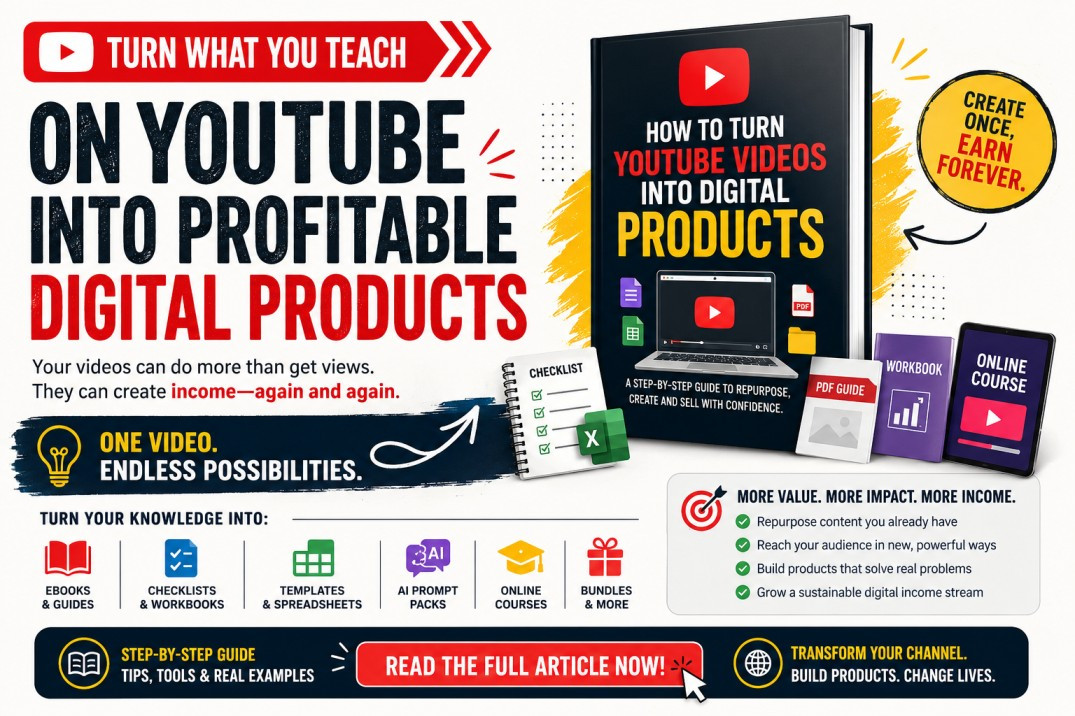
If you already create YouTube videos, you may be sitting on a library of digital products without realizing it.
A 20-minute tutorial could become an ebook.
A series of educational videos could become an online course.
A detailed how-to video could become a downloadable PDF guide.
A business tutorial could become a checklist, workbook, template or AI prompt pack.
Instead of thinking of every YouTube video as a single piece of content, creators can treat their videos as intellectual-property assets that can be repackaged into multiple digital products.
This is known as content repurposing.
And with AI tools such as ChatGPT, the process of transforming your existing knowledge into structured digital products can be significantly faster.
The basic process is:
YouTube Video → Transcript → Extract Knowledge → Organize Content → Add Value → Design → Package → Sell
For example:
YouTube Video:
“How to Start a Vegetable Garden”
↓
Transcript
↓
AI extracts the important lessons
↓
Content reorganized into chapters
↓
Add checklists, worksheets and planting calendars
↓
Create PDF guide
↓
Sell as:
“Beginner's Vegetable Gardening Starter Kit”
The important part is that you are not simply selling a transcript.
You are transforming the knowledge contained in the video into a more convenient, structured and actionable product.
YouTube creators traditionally monetize through advertising, sponsorships, affiliate marketing and memberships.
Digital products introduce another model:
Instead of relying entirely on views, creators can sell useful resources directly to the people watching their content.
A creator teaching Excel, for example, could sell:
Excel templates
Spreadsheet cheat sheets
Practice exercises
Video courses
Business dashboards
A fitness creator could turn educational videos into workout planners, trackers and training guides.
A teacher could transform tutorials into revision guides, worksheets, past paper practice questions and lesson resources.
The principle is simple:
Your YouTube channel attracts the audience. Your digital products provide a deeper solution.
Educational and informational YouTube videos can easily become ebooks.
Suppose you have published videos about:
Starting a small business
Parenting
Personal finance
Farming
Career development
Digital marketing
Photography
Fitness
Cooking
Several related videos can be combined into one comprehensive ebook.
For example:
5 YouTube videos about poultry farming
could become:
“The Beginner's Poultry Farming Guide: From 50 Chicks to a Profitable Chicken Business”
AI can help convert the transcripts into chapters, summaries, tables, FAQs and action steps.
Not every product needs to be a 100-page ebook.
Sometimes customers want something shorter and more practical.
A 15-minute tutorial could become a:
10–20 page step-by-step PDF guide.
For example:
Video:
“How to Create Facebook Ads”
Digital Product:
“Facebook Ads Beginner's Step-by-Step Setup Guide”
The guide could include screenshots, instructions, checklists and troubleshooting tips.
A collection of educational YouTube videos can become the foundation of a structured course.
The difference is organization and depth.
Instead of random videos, organize the material into:
Module 1 — Introduction
Module 2 — Foundations
Module 3 — Step-by-Step Training
Module 4 — Practical Exercises
Module 5 — Advanced Strategies
Module 6 — Final Project
Then add:
Worksheets
Exercises
Templates
Assessments
Checklists
Additional examples
Premium lessons
You have now transformed free educational content into a structured learning experience.
Workbooks are particularly effective for educational, coaching and personal-development content.
For example:
YouTube Video:
“How to Set Financial Goals”
could become:
Financial Goal Setting Workbook
with sections such as:
Current financial situation
Monthly income
Monthly expenses
Debt tracker
Savings target
12-month financial goals
Monthly action plan
The value comes from helping viewers apply what they learned.
Some videos naturally contain processes.
For example:
“25 Things You Need Before Starting a YouTube Channel”
could become:
YouTube Channel Launch Checklist
Similarly:
“Steps for Starting an Airbnb”
could become:
Airbnb Host Launch Checklist.
Checklists are simple products, but they solve an important problem: helping customers avoid forgetting critical steps.
Tutorial videos often teach people how to create something.
Instead of only teaching them, sell a customizable starting point.
Examples include:
Video → Product
Business plan tutorial → Business plan template
CV tutorial → CV templates
Budgeting tutorial → Budget spreadsheet
Social-media tutorial → Content calendar
Proposal tutorial → Proposal template
Canva tutorial → Canva templates
The video teaches the method.
The template helps the customer implement it faster.
Creators producing AI tutorials have another opportunity.
Suppose your video is:
“How to Use ChatGPT for Social Media Marketing.”
You could create:
“100 ChatGPT Prompts for Social Media Marketing.”
Organize the prompts into categories such as:
Content ideas
Facebook posts
Instagram captions
TikTok scripts
YouTube scripts
LinkedIn posts
Customer engagement
Advertising copy
The YouTube tutorial generates interest while the prompt pack provides a ready-to-use implementation resource.
Complex tutorials can often be condensed into quick-reference products.
For example:
Video:
“Complete Beginner's Guide to Photography Settings”
could become:
Photography Settings Cheat Sheet
covering:
ISO
Aperture
Shutter speed
Lighting
Portrait settings
Landscape settings
People frequently pay for convenience and organization—not merely information.
Instead of selling one product, combine several related products.
For example:
Could contain:
YouTube channel checklist
100 video ideas
Script templates
Thumbnail checklist
SEO keyword worksheet
Content calendar
AI prompt pack
Monetization guide
Bundles can increase perceived value because the buyer receives an entire toolkit rather than one document.
Your existing YouTube content can also lead to premium training.
YouTube provides introductory content.
The paid product provides:
Advanced strategies
Detailed demonstrations
Complete workflows
Case studies
Templates
Resources
This creates a natural funnel:
YouTube → Free Education → Trust → Paid Digital Product
Here is a practical workflow.
Don't automatically convert every video.
Look for videos addressing a clear problem.
Good candidates often have:
Strong views
Good watch time
Comments asking questions
People requesting resources
Practical tutorials
Evergreen topics
Clear outcomes
Comments are particularly useful.
If viewers repeatedly ask:
“Do you have a template for this?”
That could be direct evidence of potential product demand.
If it is your video, YouTube allows creators to download videos they uploaded through YouTube Studio. YouTube's official guidance also states that you cannot use this feature to download other users' videos.
Your transcript can then become the raw material for product development.
Clean it by removing:
Repeated sentences
Filler words
Introductions
Sponsorship sections
Unnecessary stories
Verbal mistakes
The objective is to isolate the valuable information.
AI can analyze the transcript and identify:
Main topic
Important lessons
Processes
Examples
Questions
Tips
Warnings
Action steps
A useful prompt is:
“Analyze this YouTube video transcript. Identify the main problem being solved, target audience, key lessons, processes, examples and actionable steps. Then recommend 10 digital products that could be created from this content.”
This changes your perspective from:
“What can I do with this video?”
to:
“What products are hidden inside this information?”
Ask yourself:
What would someone watching this video actually pay for?
Someone watching:
“How to prepare for a job interview”
might buy:
Job Interview Preparation Workbook
Someone watching:
“How to create a business plan”
might buy:
Business Plan Template + Financial Projection Spreadsheet
Someone watching:
“How to pass mathematics”
might buy:
Mathematics Revision Workbook + Practice Questions + Answers
Your product should solve the next problem the viewer encounters.
This is critical.
A transcript is usually not a good digital product.
You need to transform it.
Add:
Chapters
Headings
Examples
Exercises
Templates
Checklists
Worksheets
Illustrations
Tables
FAQs
Action plans
Think:
Video = Information
Digital product = Information + Structure + Application + Convenience
That difference creates value.
Suppose the video teaches:
“7 Ways to Get Freelance Clients.”
AI could help transform it into:
Chapter 1: Choosing your ideal client
Chapter 2: Building your offer
Chapter 3: Finding prospects
Chapter 4: Cold outreach
Chapter 5: Social media prospecting
Chapter 6: Follow-up strategies
Chapter 7: Closing clients
Then add:
Bonus 1: 25 cold email templates
Bonus 2: 50 ChatGPT prompts
Bonus 3: Client tracker
Bonus 4: Pricing calculator
Bonus 5: Proposal template
The original video becomes the intellectual foundation rather than the finished product.
Presentation matters.
Depending on the product, you can use tools such as Canva, Google Docs, Microsoft Word, PowerPoint or spreadsheet software.
Create:
Professional cover
Consistent typography
Clear headings
Tables
Illustrations
Worksheets
Page numbers
Table of contents
Then export the appropriate format:
PDF • EPUB • XLSX • DOCX • PPTX • ZIP • MP4
Your sales page should answer five questions quickly:
What is it?
Who is it for?
What problem does it solve?
What exactly will I receive?
Why should I buy it?
Don't simply say:
“50-page ebook about social media.”
Instead communicate the outcome:
“A practical 30-day social media content system with ready-to-use templates, AI prompts and a posting calendar designed to help small businesses publish consistently without spending hours creating content.”
Sell the transformation rather than the file.
Once created, upload the product to a digital-product marketplace or your own online store.
The advantage of digital products is that the same file can generally be delivered repeatedly without manufacturing another physical unit.
Your original YouTube content can then become the marketing channel.
This is where the strategy becomes powerful.
Imagine you have a YouTube video receiving search traffic every month.
At an appropriate point, tell viewers that they can get the accompanying:
Guide
Workbook
Template
Checklist
Course
Prompt pack
Place the product information in the video description and other appropriate channel surfaces.
Now the relationship becomes:
Google/YouTube Search
↓
YouTube Video
↓
Viewer Learns Something
↓
Viewer Wants Implementation Help
↓
Digital Product
↓
Sale
This turns your YouTube content library into a long-term customer-acquisition system.
Suppose a creator publishes:
Instead of monetizing only through YouTube views, that single topic could become:
|
Digital Product |
Product Idea |
|
Ebook |
Small Business Starter Guide |
|
Workbook |
Business Idea Validation Workbook |
|
Checklist |
30-Step Business Launch Checklist |
|
Spreadsheet |
Startup Budget Calculator |
|
Templates |
Business Plan Templates |
|
Prompt Pack |
100 AI Prompts for Entrepreneurs |
|
Course |
Start Your First Business |
|
Bundle |
Complete Small Business Starter Kit |
One piece of intellectual property can therefore become an entire digital product ecosystem.
The strongest strategy isn't:
Create video → sell ebook → finish.
Instead build a loop:
Research audience problem
↓
Create YouTube video
↓
Analyze comments and questions
↓
Identify deeper customer problem
↓
Create digital product
↓
↓
Collect customer questions
↓
Create new YouTube videos
↓
Create improved/new products
This creates a continuous content-to-commerce flywheel.
Generally, you should not simply download another creator's video, transcribe it, package it and sell it.
YouTube explains that original creators normally own copyright in their original videos and control how their copyrighted content is used and distributed.
YouTube also says creators should ensure they own the necessary rights, obtain permission, or have an applicable copyright exception when using someone else's protected content.
That means the safest business model is to use:
Your own videos
Videos you have permission to use
Properly licensed material
Public-domain materials where applicable
Original research and knowledge
Don't assume that because something is publicly viewable on YouTube it is automatically available for commercial repackaging.
YouTube also explicitly notes that its Terms prohibit certain unauthorized uses such as unauthorized downloading and scraping.
You can reverse the strategy.
Instead of:
YouTube → Digital Product
use:
Digital Product → YouTube
For example, create an ebook called:
“How to Start Freelancing With AI.”
Then produce YouTube videos answering related searches:
How to start freelancing
Best AI tools for freelancers
How to find freelance clients
How to price freelance services
How to write proposals using ChatGPT
How to create a freelance portfolio
Each video provides useful free information while introducing relevant viewers to the more comprehensive paid resource.
AI can reduce many of the manual steps involved in repurposing long-form content.
A transcript can become the source material for:
YouTube Video
→ Ebook
→ Blog article
→ PDF guide
→ Checklist
→ Workbook
→ AI prompts
→ Social media posts
→ Email newsletter
→ Short-form video ideas
→ Online course
Creator communities are already experimenting with transcript-first workflows where one long-form recording becomes articles, clips, newsletters and other content assets.
The strategic lesson is important:
Start with intellectual property you have already created.
This model is especially suitable for channels based around knowledge, skills or problem solving.
Strong categories include:
Education
Business
AI
Personal finance
Digital marketing
Career development
Parenting
Fitness
Cooking
Farming
Photography
Graphic design
Programming
Productivity
Study skills
Language learning
Entrepreneurship
DIY
Software tutorials
Professional training
The more actionable the knowledge, the easier it usually is to identify an accompanying digital product.
Yes. If you own the necessary rights, your original video content can form the basis of courses, guides, ebooks, workbooks, templates and other digital resources. YouTube provides creators with options for downloading videos they themselves uploaded.
AI can help transform a transcript or source material you provide into an ebook structure, including chapters, summaries, exercises, FAQs and action plans. Human review remains important for accuracy, originality and quality.
For many educational videos, a PDF guide, checklist, cheat sheet or workbook is among the simplest starting points because the creator can reorganize existing knowledge rather than producing an entirely new course.
Yes. In fact, a collection of related videos can provide a stronger foundation than a single video because the material can be organized into a comprehensive guide around one problem.
No. Digital-product sales depend heavily on audience relevance and purchase intent, not merely subscriber count. A smaller channel solving a specific problem may have a commercially valuable audience.
Be careful. Public availability does not mean commercial reuse rights. Copyright owners generally control the use and distribution of their original content, subject to licenses and applicable legal exceptions.
Most creators see YouTube as a publishing platform.
A better way to think about it is:
YouTube can also be a product research and customer acquisition engine.
Every tutorial, explanation and educational video contains knowledge.
That knowledge can potentially be transformed into:
Ebooks • Courses • Templates • Workbooks • Checklists • Cheat Sheets • Prompt Packs • Resource Bundles • Premium Tutorials
AI makes the transformation process faster, but the winning products will still require something more than automated transcription.
They need organization, usefulness, originality and a clear outcome for the buyer.
So before recording your next video or creating your next digital product from scratch, look at the videos you have already published.
Your next product idea may already be sitting inside your YouTube channel.
Discover more articles you might be interested in
Digital Products Market 2026–2030: Is It Worth Investing In? Global Data, Trends & Opportunities

By Super Admin
Discover 100 high-demand digital product topics for ebooks, PDF guides, online courses, AI prompt packs, apps, audio products and video tutorials.
By Super Admin
Discover why Vezill is one of the best free platforms to host and sell digital products worldwide
By Super Admin
Digital Product Glossary: 100+ Digital Product Terms Every Creator, Seller, and Buyer Should Know
By Super Admin
Get the updates, on newly released, popular & fast-moving MRR digital products
Up to Top
Comments All
Andrew
@andrew
I love how it shows a simple way to turn content you’re already creating into something valuable. The ideas feel practical and encouraging, especially for anyone looking to start a digital product business.
September 09,2026 At 09:58 PM