
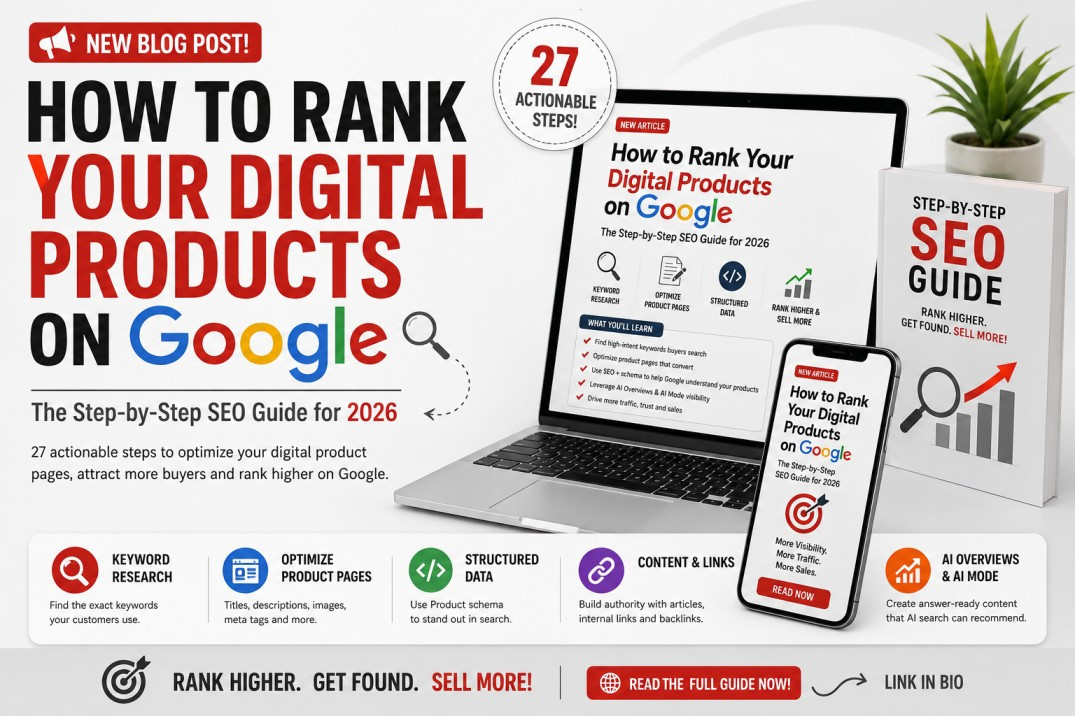
Selling a great digital product is only half the job. If people cannot find your ebook, online course, template, printable, software, guide, AI prompt pack, video tutorial, audio file, or downloadable resource when they search Google, you may be missing a major source of potential customers.
The good news is that digital products can rank organically on Google when their product pages are crawlable, useful, relevant to the buyer's search intent, technically optimized, and supported by authoritative content.
Google describes SEO as helping search engines understand your content while helping users find your website and decide whether they should visit it.
This guide explains step by step how to rank digital products on Google, improve their visibility in traditional search results, and increase their chances of being surfaced through Google's AI-powered search experiences.
To rank a digital product on Google:
Find keywords your potential buyers actually search.
Target one main search intent per product page.
Write a descriptive, keyword-focused product title.
Create a unique and comprehensive product description.
Optimize your page title and meta description.
Use descriptive headings and FAQs.
Optimize product images and previews.
Add Product structured data where appropriate.
Make the product page crawlable and indexable.
Build internal links from relevant articles and categories.
Publish informational articles around the product.
Earn legitimate mentions and backlinks.
Improve page experience and mobile usability.
Submit and monitor the page through Google Search Console.
Continually improve pages using actual search-query data.
There is no special trick or separate AI-SEO markup required to appear in Google AI Overviews or AI Mode. Google's current guidance says foundational SEO, helpful original content, technical accessibility and accurate merchant/product information remain the basis for visibility in generative AI search.
Imagine that you create a PDF called:
Student Planner
You upload it and wait for customers.
The problem is that relatively few buyers are likely to type only your product's internal name into Google.
They may instead search:
student study planner PDF
printable study planner for university students
exam revision planner PDF
weekly study planner printable
study timetable template
digital planner for students
best exam revision planner
downloadable study planner
These queries reveal what the customer actually wants.
Successful digital-product SEO therefore starts with understanding demand rather than simply naming the product.
Your objective is to create a page that makes it immediately clear to both the shopper and Google:
What is this product, who is it for, what problem does it solve, and why should someone choose it?
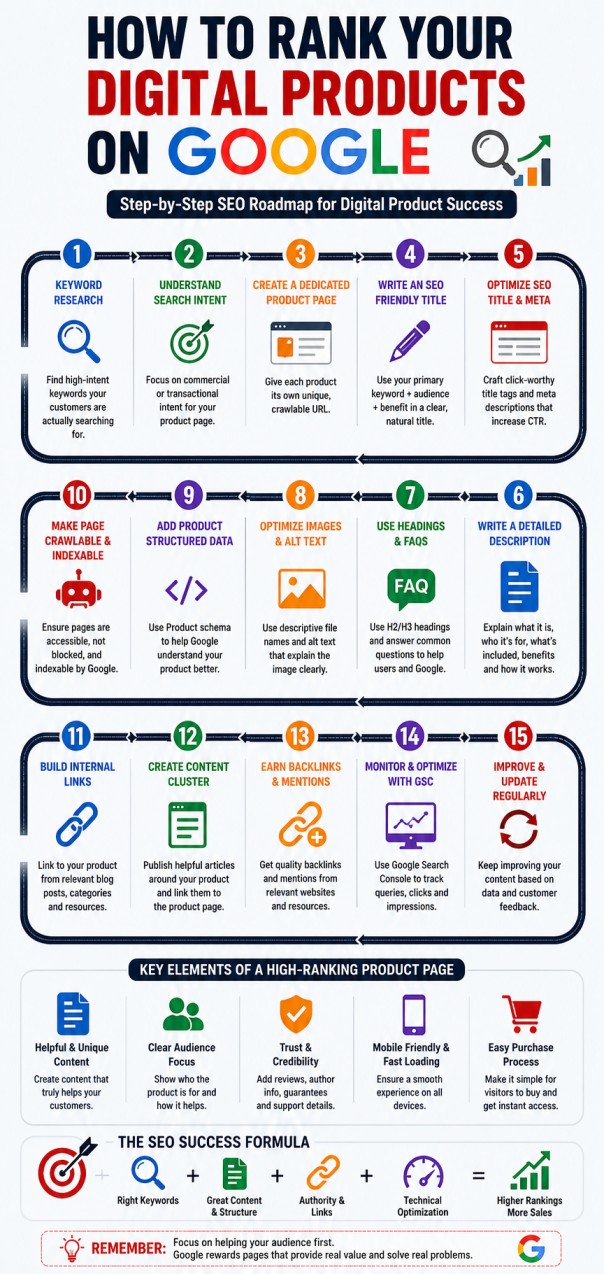
Before optimizing your product page, determine what potential customers are searching for.
Avoid building your SEO strategy entirely around broad terms such as:
planner
or:
ebook
These keywords are extremely broad.
Instead, look for more specific searches such as:
KCSE revision planner PDF
social media content calendar template
budget planner printable for beginners
AI prompts for small business owners
Excel bookkeeping template for small businesses
These are commonly described as long-tail keywords.
They often communicate stronger intent because the user has explained exactly what they want.
For every product, identify four groups of keywords.
This describes exactly what you sell.
Example:
study planner PDF
This describes the problem the buyer wants to solve.
Example:
how to organize exam revision
This specifies who needs the product.
Example:
study planner for university students
This indicates purchase or download intent.
Examples:
buy study planner PDF
download study planner
printable study planner
The strongest product pages frequently combine these dimensions naturally.
For example:
Printable Study Planner PDF for University Students – Exam Revision & Weekly Study Schedule
That communicates far more to a search engine and buyer than:
My Ultimate Planner
Search intent is the reason someone searches Google.
For digital products, there are four particularly useful intent categories.
Informational intent:
“How do I create a household budget?”
Commercial research:
“Best budget templates for families”
Transactional intent:
“Buy family budget spreadsheet”
Navigational intent:
“XYZ Budget Planner”
Your product page should primarily target commercial or transactional searches.
Your blog articles can capture informational searches and then lead users to the related product.
For example:
How to Create a Monthly Household Budget
↓
Family Monthly Budget Spreadsheet Template – Instant Download
This creates an SEO funnel.
A frequent digital-product SEO mistake is placing many products on one page without creating dedicated URLs.
Whenever possible, give each substantial product a unique landing page.
For example:
example.com/products/kcse-biology-revision-guide
is usually much easier to optimize around one product than a generic page containing 50 unrelated products.
Google explains that it discovers and evaluates ecommerce pages partly through links between pages, and that site navigation and internal linking help Google understand which categories and products are important.
A strong structure might therefore look like:
Homepage
↓
Digital Products
↓
Education
↓
KCSE Resources
↓
KCSE Biology Revision Guide
This builds context around the product.
Your product title is one of the clearest signals explaining what your page contains.
Instead of:
The Ultimate Success Pack
use:
Small Business Social Media Content Calendar Template – 365-Day Planner
Instead of:
Exam Master
use:
KCSE Mathematics Revision Guide PDF – Questions, Answers & Exam Practice
A useful formula is:
Primary Keyword + Audience/Use Case + Important Benefit or Format
Example:
Budget Planner Spreadsheet for Small Businesses – Monthly Income & Expense Tracker
Keep titles natural.
Do not turn them into keyword lists such as:
Budget Planner Budget Template Budget Spreadsheet Budget PDF Money Planner
That looks spammy and provides a poor user experience.
Your on-page product name and your HTML title can be similar, but the SEO title should encourage searchers to click.
A practical formula is:
Primary Keyword | Main Benefit or Differentiator
Example:
Printable Study Planner PDF | Plan Revision & Exams
Another example:
AI Prompts for Small Business | 500+ Marketing Prompts
Make the title descriptive rather than sensational.
Google can generate its own search-result title when it believes another title better represents the page, so accuracy and consistency matter.
One of the biggest SEO mistakes sellers make is writing only two or three lines about a product.
For example:
Great ebook for entrepreneurs. Download now.
That tells Google and the buyer very little.
A stronger description answers:
What is the product?
Who is it for?
What problem does it solve?
What is included?
What format does the buyer receive?
How is it used?
What makes it different?
What outcome can the buyer reasonably expect?
Is access immediate?
Are there requirements for using it?
Google's systems are designed to prioritize helpful, reliable, people-first content rather than pages created primarily to manipulate rankings.
Explain the product in approximately 50–100 words.
Explain the customer's challenge.
List major files, modules, pages, templates, lessons or resources.
Translate features into outcomes.
Define the intended audience.
Explain the process after purchase.
Specify PDF, Excel, Canva, ZIP, MP4, software, etc.
Answer common purchase questions.
Tell the customer what to do next.
This structure improves SEO while also improving conversion potential.
Your primary keyword should appear naturally in strategic places, including:
page title
H1 heading
product description introduction
at least one subheading where appropriate
image alt text where genuinely descriptive
URL
meta description
internal-link anchor text
FAQs where relevant
Do not obsess over keyword density.
Modern SEO is not about inserting the exact phrase a predetermined number of times.
Write naturally and cover the subject thoroughly.
Google needs enough context to understand your product.
Suppose the main keyword is:
KCSE biology revision guide
Related concepts may include:
KCSE Biology
Form 4
Biology revision
past paper questions
practical questions
KNEC exam
model answers
exam preparation
revision notes
topical questions
These related terms establish topical context.
For a budgeting spreadsheet, the relevant entities might instead include:
income
expenses
savings
monthly budget
cash flow
Microsoft Excel
Google Sheets
expense tracker
personal finance
Do not randomly stuff semantic keywords.
Include them because they genuinely help explain the product.
Use concise, descriptive URLs whenever you control them.
Good:
example.com/products/weekly-budget-planner
Less useful:
example.com/product?id=8245927
Google recommends designing ecommerce URLs in ways that allow pages to be efficiently located and retrieved while avoiding URL structures that create indexing problems.
Avoid changing established URLs unnecessarily.
If a ranking URL must change, implement the appropriate redirect.
Your meta description should summarize why the searcher should visit the page.
Example:
Download a printable weekly study planner PDF designed to help students organize revision, assignments and exams. Includes timetable, goals and progress trackers.
A useful formula is:
Product + Audience + Main Benefit + Important Feature + Action
Do not fill the meta description with disconnected keywords.
Write it like search-result advertising copy.
Digital products often rely heavily on mockups and previews because customers cannot physically examine them before purchase.
Useful image types include:
ebook cover
workbook pages
template previews
dashboard screenshots
course interface screenshots
before-and-after examples
contents previews
software screenshots
mobile and desktop previews
Use descriptive filenames.
Instead of:
IMG_839284.jpg
use:
kcse-biology-revision-guide-cover.jpg
Write accurate alt text.
Example:
KCSE Biology revision guide PDF cover showing exam revision resources
Do not add keywords unrelated to what the image shows.
Product structured data can also help Google understand product information that may appear in Google Search, Google Images and Google Lens.
Structured data is machine-readable information that helps Google understand what a page represents.
Google supports Product structured data for eligible product experiences. Depending on implementation and eligibility, product information can contribute to richer search presentations containing information such as price, availability and reviews.
A simplified example might look like:
script type="application/ld+json"
{
"@context": "https://schema.org/",
"@type": "Product",
"name": "Printable Student Study Planner PDF",
"description": "Printable study planner designed to help students organize revision, assignments and exam preparation.",
"image": "https://example.com/images/student-study-planner.jpg",
"offers": {
"@type": "Offer",
"url": "https://example.com/products/student-study-planner",
"priceCurrency": "USD",
"price": "9.99",
"availability": "https://schema.org/InStock"
}
}
/script
Your structured data should match information visibly presented on the page.
Do not fabricate:
reviews
ratings
prices
discounts
product availability
Google recommends testing deployed product markup and monitoring relevant Product reports in Search Console.
A perfectly optimized page cannot rank if Google cannot access it.
Check that the product page:
is publicly accessible
does not require login before product information can be viewed
is not blocked in robots.txt
does not contain an unintended noindex directive
returns the correct HTTP status
is linked from somewhere on the website
appears in your sitemap where appropriate
Google Search generally discovers pages automatically through crawling, rather than requiring every page to be submitted manually.
However, Google Search Console can help you diagnose indexing problems.
Google Search Console should be one of your main SEO measurement tools.
After publishing a product:
Open Google Search Console.
Inspect the product URL.
Check whether Google can access the page.
Request indexing where appropriate.
Monitor impressions.
Monitor clicks.
Monitor average position.
Check which search queries generate impressions.
Improve the page based on that data.
For example, suppose your product is called:
AI Business Starter Guide
Search Console later reveals impressions for:
AI business ideas for beginners
You might add a legitimate section explaining:
You are now improving the page using real user demand rather than guessing.
Internal linking is one of the most underused ecommerce SEO strategies.
Do not publish a product and leave it isolated.
Link to it from:
relevant blog posts
category pages
homepage sections
resource pages
related-product pages
tutorials
comparison articles
Google explicitly notes that the links between ecommerce pages help it understand site structure and relative page importance.
For example, if you sell:
KCSE Mathematics Revision Guide
create supporting articles such as:
How to Improve Your KCSE Mathematics Grade
and then naturally link:
Students who want structured practice can use our KCSE Mathematics Revision Guide.
This is better than repeatedly writing:
click here
because the anchor text explains the destination.
A single product page may struggle to rank for every relevant search.
Build supporting informational content around it.
Suppose you sell:
Small Business Social Media Content Calendar
Your content cluster could include:
Social Media Content Calendar Template for Small Businesses
How to Create a Social Media Content Calendar
30 Social Media Post Ideas for Small Businesses
Best Content Planning Tools for Small Businesses
How Often Should a Small Business Post on Instagram?
Social Media Marketing Checklist for Beginners
How to Plan 30 Days of Content in One Afternoon
These articles attract people earlier in the customer journey.
You can then direct relevant visitors to the product.
This approach builds topical authority and internal-link relationships rather than depending entirely on one commercial page.
Question queries are especially valuable as search becomes more conversational.
Examples:
What is the best digital planner for students?
Where can I download KCSE revision questions with answers?
How do I create a monthly budget spreadsheet?
What template do I need to start a business?
Can I sell an ebook online?
Create content that answers these questions clearly.
A strong structure is:
Can a beginner use this budget template?
Direct answer:
Yes. The template is designed for beginners and automatically organizes income and expenses into monthly categories.
Then explain the details.
This makes the answer easy for humans and machines to understand.
AI search does not require abandoning conventional SEO.
Google's current guidance says its generative search experiences remain connected to Google's core ranking and quality systems. Google specifically recommends maintaining strong technical SEO and creating unique, useful, non-commodity content.
That means your pages should provide clear information such as:
What is it?
Who is it for?
What problem does it solve?
What does it include?
How much does it cost?
How is it delivered?
How is it different?
Who created it?
What expertise or evidence supports it?
What questions do customers commonly ask?
This creates what might be called answer-ready content.
You do not need special llms.txt files or invented AI markup to qualify for Google's AI search features.
Google's generative-AI optimization guidance explicitly states that special AI text files or markup are not necessary for Google Search.
Focus on useful content instead of AI-search gimmicks.
A generic product description can be replicated by hundreds of sellers.
Unique information is harder to replicate.
Include details such as:
creator or organization
why the product was created
intended use
screenshots
sample pages
real examples
methodology
version/update information
legitimate customer feedback
support details
refund or usage conditions
licensing information where applicable
Google emphasizes helpful, reliable content created primarily for people.
A useful principle is:
Don't merely tell Google the product exists. Prove to the buyer why the product deserves attention.
FAQs help remove purchase objections while expanding the page's semantic coverage.
For an ebook, useful questions might include:
This is a downloadable digital ebook.
The ebook is supplied as a PDF.
Yes, the PDF can be opened on most modern smartphones, tablets and computers using compatible PDF-reading software.
The guide is designed for...
Explain the exact delivery process.
Explain your terms.
Explain licensing only when the product actually includes them.
FAQs should answer genuine questions.
Do not create dozens of repetitive questions merely to insert keywords.
Google can discover your product through links from other websites.
Useful legitimate sources might include:
industry blogs
educational websites
creator reviews
podcast show notes
resource pages
newsletters
professional associations
relevant media coverage
partner websites
One quality link from a relevant trusted resource can be more useful than hundreds of artificial links.
Avoid buying bulk spam links.
Also avoid creating fake reviews or fake independent websites solely to recommend your product.
Google specifically cautions that pursuing inauthentic mentions is not a meaningful shortcut for generative AI visibility.
Google Merchant Center provides another path through which merchants can supply structured product information directly to Google.
Eligible free product listings can potentially appear across several Google surfaces, including Search, Shopping, Images, Lens and other Google experiences.
Google's documentation also addresses intangible products such as downloadable software and digital content and explains that, where shipping information is required, merchants can specify zero shipping cost for such intangible offers.
However, Merchant Center has product eligibility and policy requirements.
Therefore:
Do not assume every digital product automatically qualifies.
Review the applicable Merchant Center policies for your category before submitting products.
If eligible, keep feed information synchronized with your landing page, including:
title
description
price
availability
product URL
images
relevant product identifiers
Google states that accurate product data is essential because poor, conflicting or missing data may lead to display problems, limited eligibility or disapprovals.
Google Images can be particularly useful for visual digital products such as:
Canva templates
planners
worksheets
ebooks
printables
presentation templates
graphic bundles
website templates
Create genuinely helpful previews.
For example, instead of displaying only one ebook cover, show:
cover
table of contents
sample chapter
worksheet example
inside-page layout
device mockup
Use descriptive filenames and accurate alt text.
Product structured data can also contribute to product information appearing with images in Google experiences.
Many potential buyers will reach your product through a phone.
Make sure the page is easy to use.
Avoid:
enormous images
intrusive pop-ups
unreadably small text
broken checkout buttons
excessive scripts
layout shifts
confusing navigation
Compress images and test the purchase process yourself on mobile.
SEO traffic is useful only when visitors can actually understand and buy the product.
If you sell the same product across several locations, do not automatically paste exactly the same thin description everywhere if you control those pages.
Where appropriate, make each page useful for its context.
For example, your main product page might provide the complete commercial description.
A marketplace listing might emphasize:
audience
key benefits
product contents
format
purchasing information
Your own blog can target educational questions around the product.
This helps prevent your SEO strategy from becoming a collection of nearly identical low-value pages.
AI can be extremely useful for:
research
product-description drafting
keyword clustering
FAQs
content outlines
proofreading
categorization
However, publishing hundreds or thousands of automatically generated pages with minimal unique value is risky.
Google's guidance says generative AI can help with research and content structure, but mass-producing pages without adding value may violate its scaled content abuse policies.
Use AI to improve your expertise—not replace it with generic text.
SEO should not end when your product reaches Google.
Once visitors arrive, examine:
search impressions
search clicks
click-through rate
landing-page engagement
checkout starts
purchases
conversion rate
If a page gets many impressions but few clicks, improve:
title
search positioning
value proposition
meta description
If it gets clicks but few sales, examine:
price
product previews
trust
product description
offer
checkout
page speed
buyer objections
SEO and conversion optimization should work together.
Do not abandon a page simply because it already ranks.
Update it when:
the product changes
screenshots change
pricing changes
new editions launch
customer questions reveal missing information
Search Console reveals new queries
important information becomes outdated
You can also strengthen successful products by creating new supporting articles and linking them back to the product.
One of the strongest structures for selling digital products through organic search is:
High-volume informational query
↓
Helpful article
↓
Commercial comparison or guide
↓
Product page
↓
Purchase
For example:
How to study effectively for exams
↓
15 Proven Ways to Study Effectively and Remember More
↓
Best Study Planners and Revision Tools for Students
↓
Exam Success Study Planner PDF
↓
This allows your business to capture searches long before a customer knows the name of your product.
Imagine you sell an ebook called:
The Smart Budget Guide
The original listing says:
Learn how to manage money. Download this amazing ebook today.
That is unlikely to fully satisfy searchers.
A stronger implementation could be:
Personal Budgeting Guide for Beginners – Budget Planner & Money Management Ebook
Budgeting Guide for Beginners | Personal Finance Ebook
/personal-budgeting-guide-beginners
Learn how to create a budget, track expenses, reduce unnecessary spending and build savings with this practical personal budgeting guide for beginners.
how to budget money
personal budgeting for beginners
monthly budget guide
budgeting ebook
personal finance guide
expense tracking
savings plan
How to Create a Monthly Budget
50 Ways to Reduce Household Expenses
How Much of Your Income Should You Save?
Budgeting for Beginners: Step-by-Step Guide
Each article can naturally lead readers to the paid resource.
That is a complete SEO ecosystem rather than a single isolated product listing.
Depending on your niche, useful keyword patterns include:
[product] template
[product] PDF
[product] download
best [product] for [audience]
[product] for beginners
[product] for students
[product] for small businesses
printable [product]
editable [product]
digital [product]
[problem] guide
how to [solve problem]
[topic] checklist
[topic] workbook
[topic] course
[topic] ebook
[topic] planner
[topic] spreadsheet
These are keyword frameworks—not guaranteed high-volume keywords. Validate individual queries for your specific country, niche and audience before prioritizing them.
Before publishing a product, confirm that you have:
selected one primary buyer-intent keyword
identified related keywords and questions
created a dedicated product URL
written a descriptive H1
optimized the SEO title
written a useful meta description
created a detailed original product description
clearly explained who the product is for
listed what the buyer receives
stated the file format
explained product delivery
added useful screenshots or product previews
optimized image filenames
written accurate alt text
added relevant internal links
linked supporting articles to the product
checked that the page is crawlable
checked that the page is indexable
added appropriate Product structured data where eligible
tested structured data
added the site to Google Search Console
checked the URL through URL Inspection
reviewed Merchant Center eligibility where relevant
monitored search queries and impressions
updated the product page based on performance
Yes. Downloadable products can appear in ordinary organic Google search results when their webpages are accessible to Google and meet normal search eligibility and quality requirements. Google's ecommerce SEO documentation applies broadly to sites selling products online.
There is no guaranteed ranking period. Google notes that crawling and indexing can take time, and ranking depends on many factors. Even valid structured data does not guarantee a particular search appearance.
Usually the best keyword closely matches:
what the product is + who needs it + what they want to accomplish.
For example:
editable social media content calendar for small businesses
is much more specific than:
template.
Yes, when they accurately describe the product.
Write for humans first.
Avoid keyword stuffing.
They can. Relevant informational articles create additional entry points from Google and can strengthen internal linking to important product pages.
Google's documentation confirms that its generative search experiences can incorporate product information where appropriate. Google recommends standard SEO foundations and accurate product/merchant data rather than special AI-search hacks.
No. Google currently says you do not need special AI-specific markup or files to appear in its generative search experiences.
No.
Structured data helps Google understand page information and may make pages eligible for particular search appearances, but it does not guarantee rankings or rich results.
Yes, but the final content should provide genuine value.
Google says generative AI can be useful for research and content structure, while large-scale generation of pages that provide little added value can run afoul of spam policies.
The biggest mistake many digital-product sellers make is optimizing only for the name of their product.
Customers rarely begin by searching for your brand.
They begin with a problem.
A student searches:
how to improve KCSE mathematics
A small-business owner searches:
how to track business expenses
A creator searches:
how to plan social media content
A job seeker searches:
how to write a professional CV
Your SEO strategy should therefore connect:
Problem → Answer → Solution → Digital Product
That means the winning strategy is not simply:
Create product → Add keywords → Wait.
It is:
Research demand → create the right product page → answer related questions → establish topical authority → strengthen internal links → provide clear product information → get indexed → measure real search queries → improve continually.
Google's current guidance for both traditional and generative search reinforces the same underlying principle: make pages technically accessible and create distinctive, useful content that genuinely helps people.
Do that consistently, and every ebook, course, template, downloadable guide, spreadsheet, software product or digital resource you publish becomes another opportunity to attract customers through Google.
Discover more articles you might be interested in
Affiliate Marketing for Digital Products
By Davie
Digital Product Bundling: 3x Your Average Order Value
By Davie

Telegram Channel Marketing for Digital Products
By Davie
Facebook Groups Marketing Strategy for Digital Products
By Davie
Get the updates, on newly released, popular & fast-moving MRR digital products
Up to Top
Comments All
Ritah
@ritah
I like how it breaks SEO down into simple steps. The tips on ranking digital products and adapting to Google’s AI features feel especially useful for growing organically.
September 08,2026 At 09:48 PM
Joy
@joy
SEO can feel confusing, especially with AI changing how search results work. I liked how this breaks the process down into steps that are actually manageable. The tips on getting digital products discovered through Google are definitely worth trying.
August 27,2026 At 11:43 PM